
Username & Password
Individual user accounts with a username and password. Useful for returning users, staff, and long-term contractors.
The Username & Password module gives each guest their own account with a unique username and password. Unlike the Password module, every guest is tracked as a distinct user with their own login history, device list, and last-login timestamp.
Typical audiences: staff and long-term contractors, tenants in a co-living venue, students in a campus portal, VIP guests at a recurring venue.
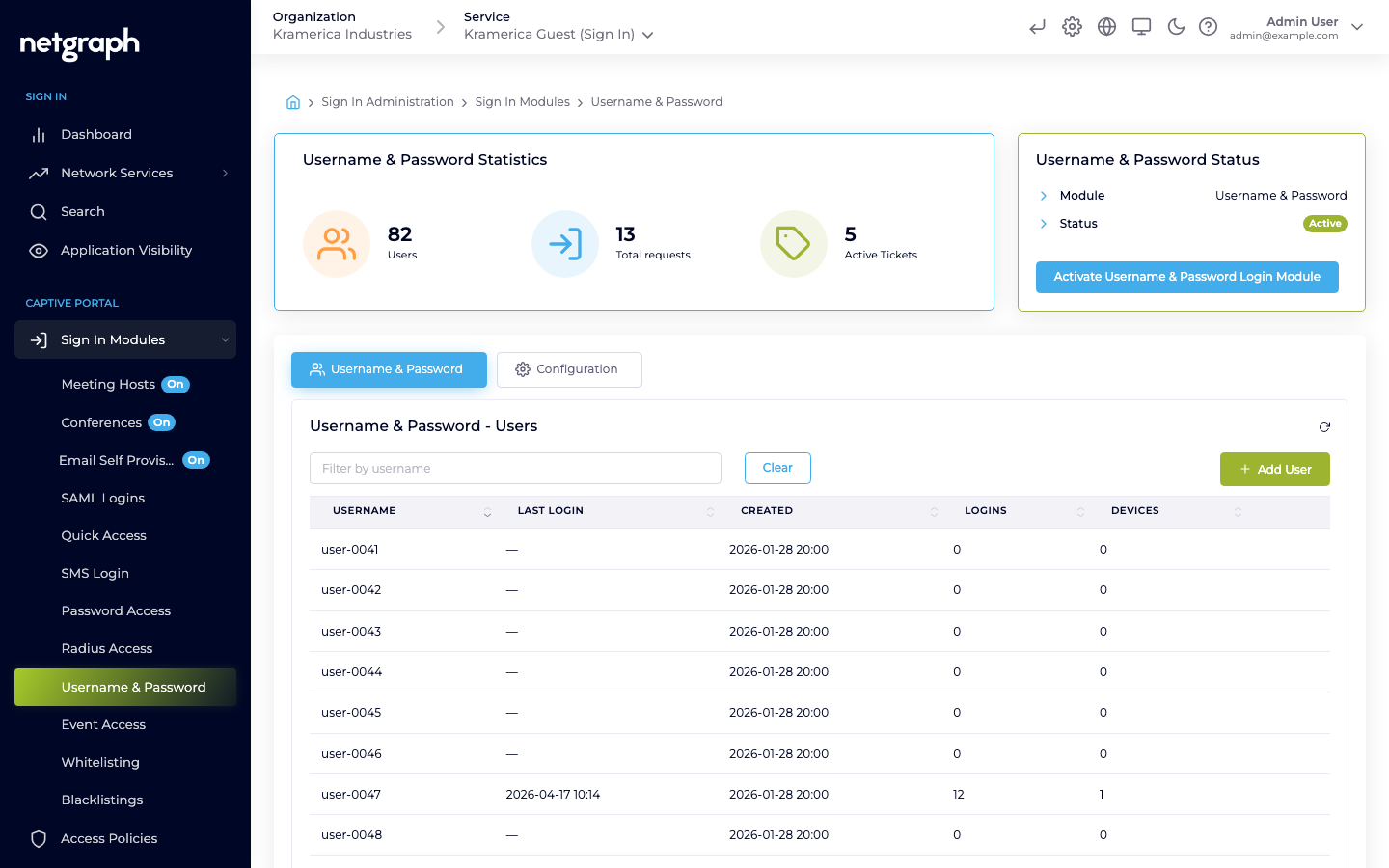
How a guest signs in
Section titled “How a guest signs in”- On the Captive Portal, the guest picks Username & Password.
- They enter their username and password.
- If the username and password are valid, access is granted.
The login is tied to the guest’s device. Subsequent visits from the same device may be auto-recognised up to the session length set on the module.
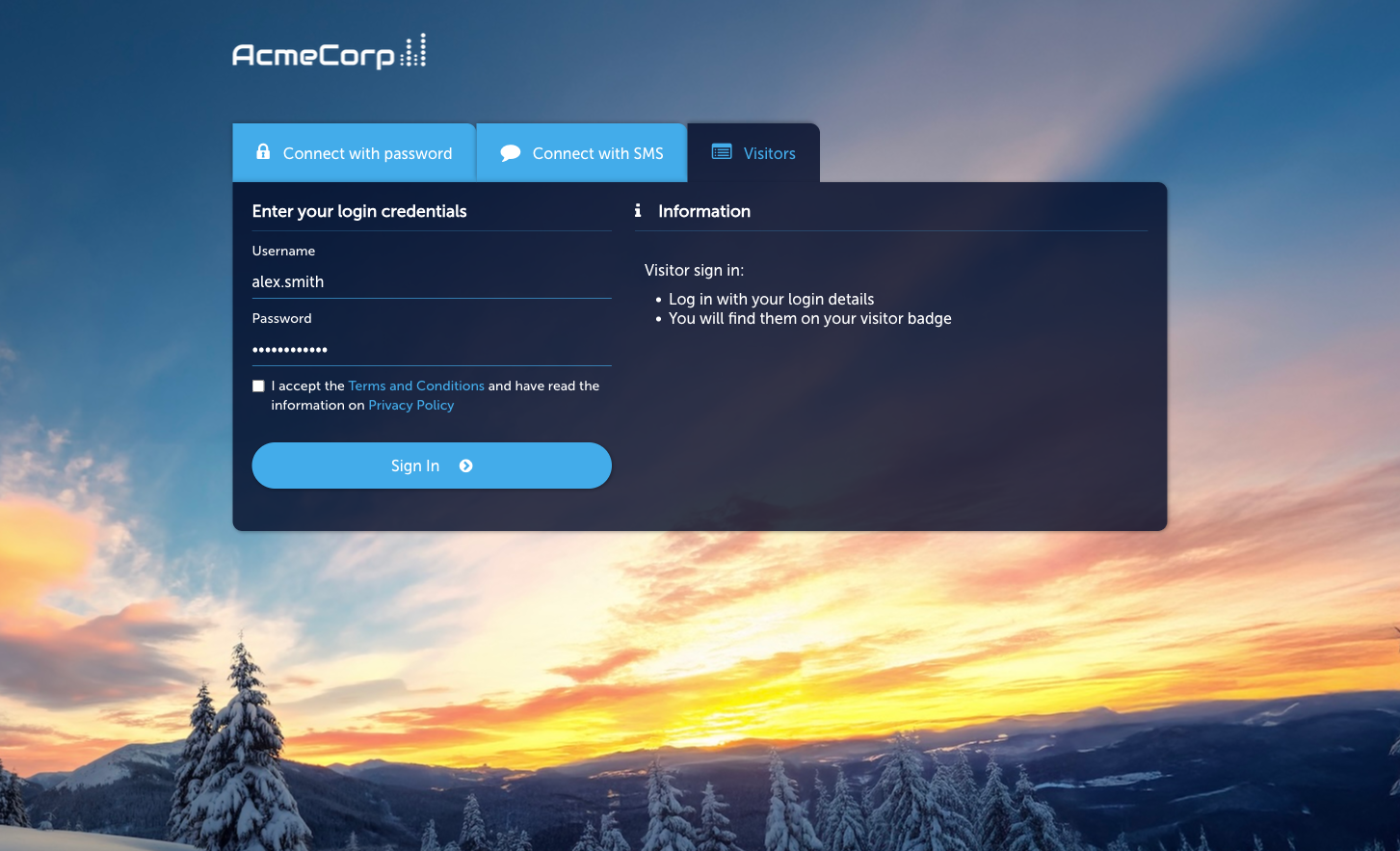
Activate the module
Section titled “Activate the module”-
Open the module
From the Context admin, go to Sign In Modules → Username & Password.
-
Activate
Click Activate Username & Password Login Module. The Status card flips from Not Active to Active.
-
Open Configuration
Switch to the Configuration tab to set module-wide settings (session behaviour, redirect override, display text).
Once the module is active at Context level, the Username & Password tile appears on the Captive Portal for every guest — this module is not gated by an Access Policy.
Managing users
Section titled “Managing users”The main tab (Username & Password → Username & Password) lists all users registered on this Context, with columns for username, last login, created date, total logins, and current device count.
- Add User — create a user account with a username and a password. Only admins can create users — either here in the admin, or through the Sign In API for bulk onboarding. Guests cannot register themselves through this module.
- Filter by username — search as the list grows.
- Per-user actions — view login history, reset password, revoke the account.
Session length and redirect
Section titled “Session length and redirect”Session length and the post-sign-in redirect URL are configured on the module’s Configuration tab’s Session Length & Redirect sub-tab. Username & Password is not gated by an Access Policy.
Compared to Password Subscription
Section titled “Compared to Password Subscription”| Feature | Username & Password | Password Subscription |
|---|---|---|
| Each guest has their own account | Yes | No (shared) |
| Credentials are long-lived | Yes (until admin revokes) | Depends on variant — Static is long-lived; Subscription rotates on an interval |
| Best for | Named users, returning guests | Events, day passes, shared venues |