
Event Access
A pass-through sign-in option that grants network access without verification. Useful for low-friction venues where no guest identification is needed.
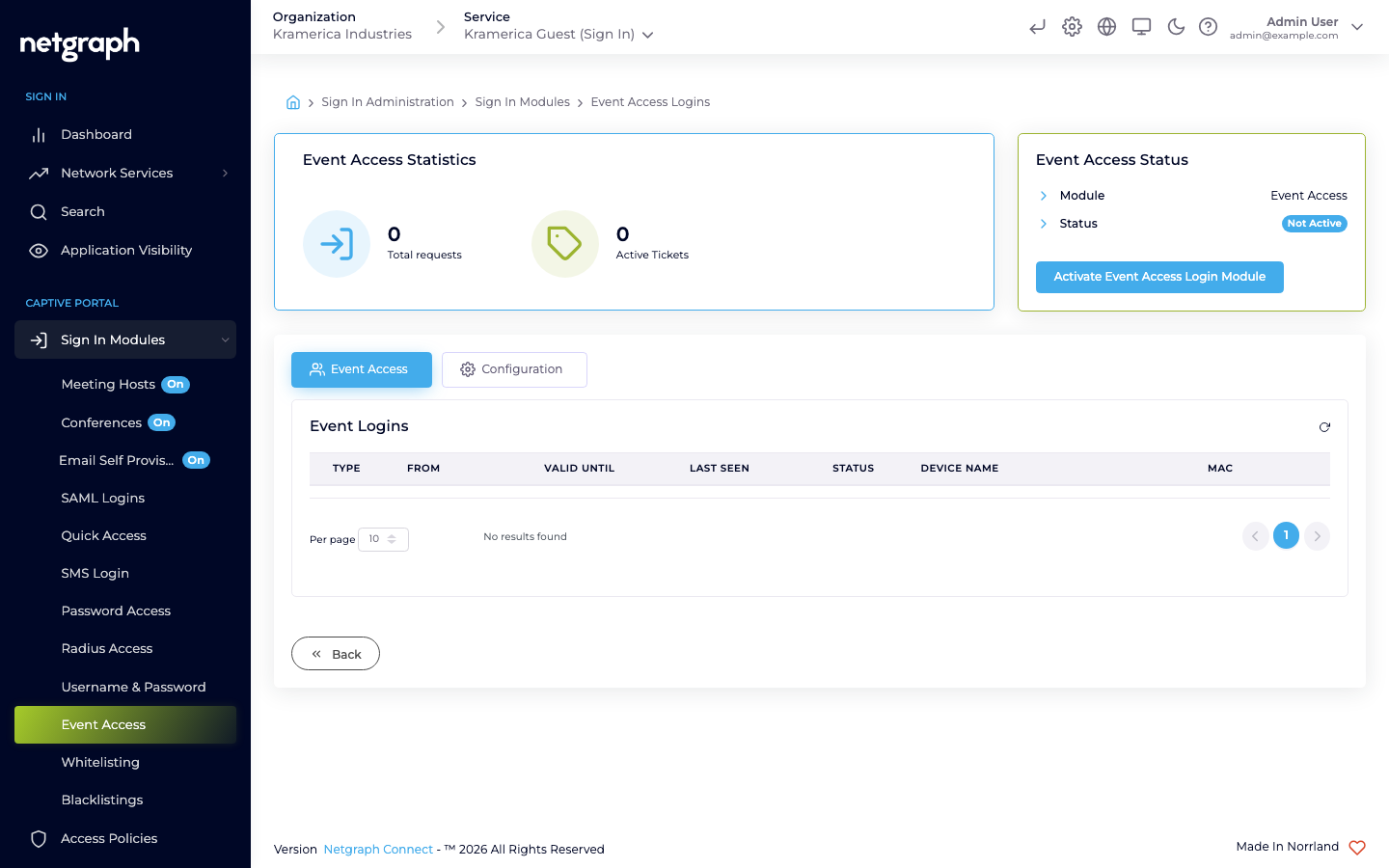
Event Access is a pass-through, auto-board mode for one-off events. When you activate it, devices that reach the network are authenticated automatically with no captive portal shown, and are redirected straight to the event splash page. There is no verification step, no credentials, and no personal data collected beyond device identifiers. Each session runs for a fixed timeout defined by the Context. Event Access is an exclusive mode: when it is activated, all other sign-in methods on the portal are turned off.
Typical audiences: temporary events where guest identification isn’t required, open-to-the-public venues, guest access where the venue already knows the audience from context (ticketed events, restricted venues), situations where the captive portal’s only job is to show terms of service.
How it works
Section titled “How it works”- A device joins the network.
- It is authenticated automatically. No portal page, no form, no code, no verification.
- The device is redirected to the Context’s anonymous (event) redirect URL.
- The session runs for the Context’s anonymous-login timeout, after which the device must reconnect. The event window opens at the start and the access closes automatically when the event is over.
When to use (and not use) Event Access
Section titled “When to use (and not use) Event Access”Use it when:
- The venue already controls who reaches the network (ticketed, gated, or physically restricted).
- You don’t need to identify individual guests.
- You want to show terms of service but don’t need a verification flow.
Don’t use it when:
- You need to know who signed in (reporting, marketing, compliance). Use one of the identity-collecting modules instead.
- The venue is open to the public and you need some friction to discourage abuse. Use Self-Provisioning by Email or SMS.
Activate the module
Section titled “Activate the module”-
Open the module
Go to Sign In Modules → Event Access.
-
Activate
Click Activate Event Access / Splash redirect. Activating this turns off every other sign-in method, because Event Access takes over the whole portal.
-
Set session defaults
The Configuration tab has a single Session Length & Redirect sub-tab. Set how long a pass-through session lasts and where guests land after sign-in.
Access Policies
Section titled “Access Policies”Event Access is not gated by an Access Policy — if the module is active at Context level, it applies to every device that joins while the mode is active, since no other sign-in method runs alongside it. Keep the session length short; pass-through sessions are the easiest to abuse when timeouts are long.