
Remote Radius Server
Configure the upstream RADIUS endpoint that a Radius Proxy Context forwards to. Hostname, ports, shared secret, and the egress FQDN you'll need to share with the upstream operator.
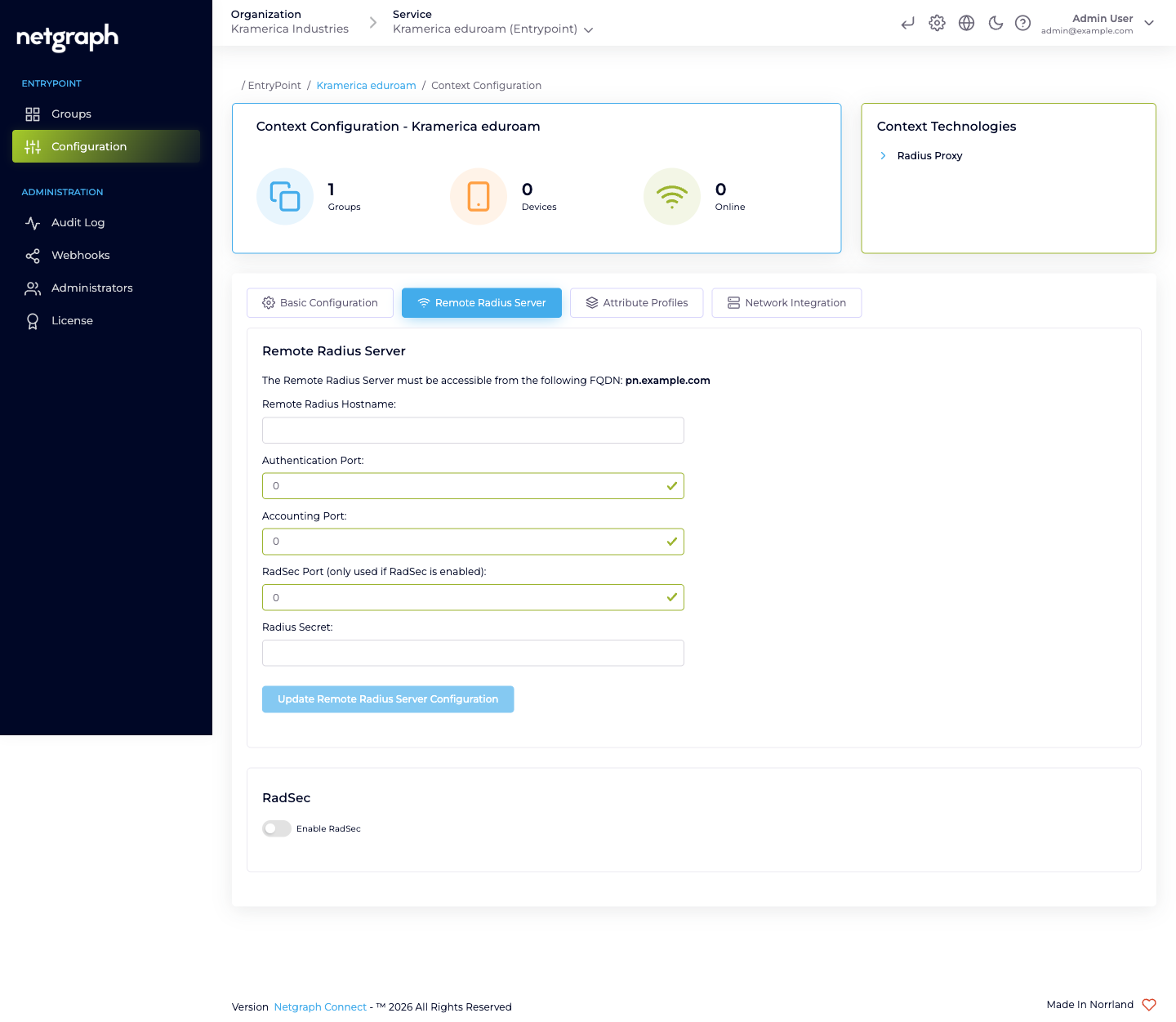
A Radius Proxy Context’s Remote Radius Server tab is where you tell the platform where to forward every authentication and accounting request it receives. One Context forwards to exactly one upstream server — usually your national eduroam federation’s tier-1 RADIUS endpoint.
The form fields
Section titled “The form fields”Open the Context’s Configuration → Remote Radius Server tab.
- Remote Radius Hostname — the hostname of the upstream server
(typically a
radius.<your-federation>.<tld>FQDN supplied by the federation operator). - Authentication Port — the UDP port the upstream listens on for authentication. Default is 1812 for plain RADIUS.
- Accounting Port — UDP port for accounting records. Default is 1813.
- RadSec Port — TCP port for RADIUS-over-TLS, used only when RadSec is enabled; the standard RadSec port is 2083.
- Radius Secret — the shared secret between your EntryPoint deployment and the upstream RADIUS server. The upstream operator provides this.
Click Update Remote Radius Server Configuration to save.
The egress FQDN — what the upstream has to allow
Section titled “The egress FQDN — what the upstream has to allow”The Remote Radius Server card displays the FQDN from which your EntryPoint deployment sends outbound RADIUS traffic. The upstream operator has to allow connections from that FQDN — typically by adding it to their own side’s allow-list in parallel with you plugging in their hostname and secret.
The Remote Radius Server must be accessible from the following FQDN: <your-deployment-specific FQDN>
Share the FQDN with the federation operator (or the upstream RADIUS admin, for non-eduroam deployments) and confirm they’ve added it before testing. Without the allow-list update on their side, even a correctly configured Remote Radius Server returns timeouts.
eduroam-specific notes
Section titled “eduroam-specific notes”For universities joining eduroam, the Remote Radius Server is the national federation tier-1 server — for example, in Sweden, SUNET’s eduroam RADIUS; in Germany, DFN’s; in the UK, Jisc’s. The federation operator publishes:
- The hostname(s) to target.
- The shared secret (or the RadSec CA, when RadSec is required — which is the modern default for eduroam).
- Their expected FQDN format for your source.
Follow the federation’s onboarding runbook. The eduroam side typically requires RadSec today; plan on RadSec being on from day one rather than an afterthought.
Choosing UDP or RadSec
Section titled “Choosing UDP or RadSec”- UDP (ports 1812/1813) — classic RADIUS, no transport-level encryption. Fine for non-federated upstreams in trusted networks.
- RadSec (port 2083) — RADIUS over TLS. Encrypts the forwarding traffic and allows mutual authentication via certificates. Increasingly required by national eduroam federations; usually the right choice for any Internet-traversing upstream.
If you turn on RadSec, RADIUS traffic goes to the RadSec port, and the UDP ports become inapplicable. See RadSec.
Updating the configuration
Section titled “Updating the configuration”Reconfiguring is a matter of editing the fields and clicking Update Remote Radius Server Configuration again. Rotations happen when:
- The upstream operator rotates their shared secret. Coordinate a change window and update both sides in parallel; while one side is on the old secret and the other on the new, every authentication fails.
- The upstream endpoint changes hostname. Often during
federation modernisation (e.g. eduroam’s national operator
moving from
radius1.example.edutoradius.example.edu). - RadSec is turned on. After you upload the federation’s CA and flip the RadSec toggle, update the port so the Context targets the RadSec port rather than the UDP ones.
Every configuration change is recorded in the Context’s Audit Log.
Day-to-day operations
Section titled “Day-to-day operations”Radius Proxy Contexts are steady once configured — there’s no per-user membership, no device onboarding, no PSK rotation. The operational touchpoints are:
- Verifying reachability after any upstream maintenance. If the federation cycles its tier-1 server, check that authentications resume after the maintenance window ends.
- Monitoring accounting. The Context’s Devices / Online counters track the number of visiting devices currently authenticated through the proxy. A sudden drop to zero often means the upstream has changed or the RadSec CA has rotated.
- Rotating your own secret on the upstream side when federation policy requires it (annually, or after incidents). The audit log documents the change; the upstream’s operator should also see a matching entry on their side.
Attribute Profile on the Default Device Group
Section titled “Attribute Profile on the Default Device Group”Even though the upstream decides who gets in, you can still set per-Context RADIUS attributes — typically VLAN or SGT — on the response going back to your WLAN. That’s what the Default Device Group’s Attribute Profile is for; see Default Device Group.