
Endpoint Manager Context
A Cisco ISE Context wires the platform to one of your ISE deployments and makes its Endpoint Identity Groups available for managed administration. One Context per ISE.
An Endpoint Manager Context — labelled ISE Device Management in the admin — is the container that couples the platform to a Cisco ISE deployment you administer. Everything you do in Endpoint Manager happens inside a Context: connecting Endpoint Identity Groups, defining Managed Attributes, inviting Self-Service Users, issuing Change of Authorization, reading audits, receiving webhook events.
Where a Context fits
Section titled “Where a Context fits”An Organization can hold many Contexts across the Services — Sign In, EntryPoint, EasyPSK, Endpoint Manager — mixing and matching as needed.
Organization└── Services ├── Sign In ├── EntryPoint ├── EasyPSK for Cisco Networks └── Endpoint Manager for Cisco ISE ├── Context: Corporate ISE (production deployment) └── Context: Lab ISE (lab deployment, optional)One Context governs one Cisco ISE. If you run two ISE deployments — production and lab, say — you add two Contexts. They share nothing but the Organization’s administrators and audit stream.
What a Context holds
Section titled “What a Context holds”Each Context carries:
- The connection to Cisco ISE — Base URL, API user, and an internal display name (“Device Management” by default). The password is stored secret-encrypted and never shown back.
- Managed Attributes — the Endpoint Custom Attribute definitions the platform is allowed to manage. Each one is fixed at creation as either group level (one value per group, applied to all its endpoints) or endpoint level (a value per device). Beyond the seeded Device Type, empty is a valid state; groups then only manage MAC and Description.
- The Endpoint Identity Groups you have connected — zero or more. Each one is a 1:1 reflection of an ISE group.
- Per-Context audits — every configuration change (API credential updates, Managed Attribute definitions, connect and disconnect of groups, endpoint CRUD, Change of Authorization events) is audited under the Context’s Audit Log.
- Per-Context webhooks — subscribed to the single event type
that Endpoint Manager emits (
ise.configuration.audit). - Per-Context Administrators — the Organization admins who can configure and operate this Context. This is separate from the Self-Service Users on individual groups; those are the delegated administrators on a per-group basis.
How the Context talks to Cisco ISE
Section titled “How the Context talks to Cisco ISE”The platform reads from Cisco ISE over three API families that each cover part of the picture:
- ERS (External RESTful Services). Enumerates and creates Endpoint Identity Groups, and reads, creates, updates and deletes individual endpoint records. This is the listing you browse on the Groups tab.
- Open API. Handles bulk endpoint operations and Endpoint Custom Attribute synchronisation.
- Monitoring API (MnT). Looks up each endpoint’s live session data (NAS, port, VLAN, session duration, data usage) and triggers a Change of Authorization when asked.
All three must respond as Up in the Cisco ISE API Status table before the Context is usable. The status table is refreshed on demand from the API Configuration tab and is the first place to check if something looks stuck.
Authentication path — we don’t replace ISE
Section titled “Authentication path — we don’t replace ISE”Endpoint Manager is not an authentication backend. Your Cisco ISE continues to authorise every endpoint on the wire exactly as before — 802.1X, MAB, iPSK, profiling, authorization policies — using the same identity sources, certificate authorities and endpoint identity groups it always has. The only thing that changes is who maintains the per-endpoint records inside those groups.
The practical consequence: if an endpoint is rejected by ISE, the fix is still on the ISE side. Endpoint Manager’s job is to make sure the endpoint record in ISE is complete and current.
Context tabs
Section titled “Context tabs”A Context’s workspace has three top-level areas in the admin:
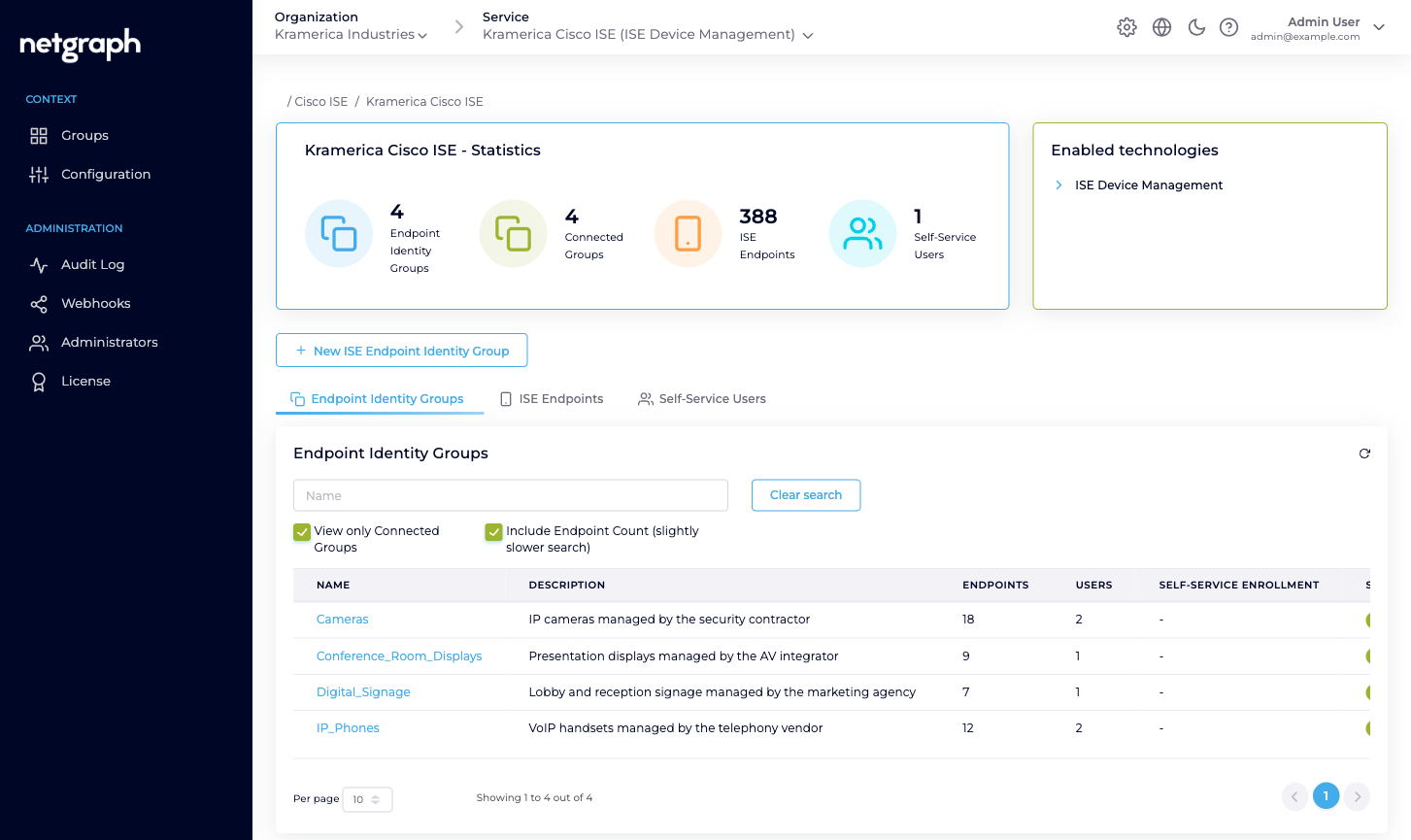
- Groups — the Context overview. Statistics, the list of Endpoint Identity Groups, a cross-group view of ISE Endpoints across the Context, and a cross-group view of Self-Service Users.
- Configuration — three sub-tabs: API Configuration (credentials, API status), Managed Attributes (attribute definitions, itself split per level), Basic Configuration (Context name, display name, delete).
- Integration Log — the outbound calls to Cisco ISE that failed, with the reason and the request as it was sent. See Integration Log.
- Administration — the Organization-wide blocks applied to this Context: Audit Log, Webhooks, Administrators, License. These follow the same shape as every other Service.