
Delegated administration
The shape of Endpoint Manager: one group, one delegated owner. A pattern that scales from a single managed group to dozens, each operated by the team or vendor that actually knows what belongs there.
Endpoint Manager is built around a single idea: the person adding an endpoint should be the person who knows what the endpoint is for. That person is almost never the network team. Network engineers can tell you a MAC is talking; they can’t always tell you whether it belongs on the network.
Delegated administration moves the per-endpoint work — who gets on, what description goes with the record, which attributes apply — out of the network team and to the team or vendor that owns the fleet.
Where the pattern helps
Section titled “Where the pattern helps”Distributed MAB-list administration is the clearest example:
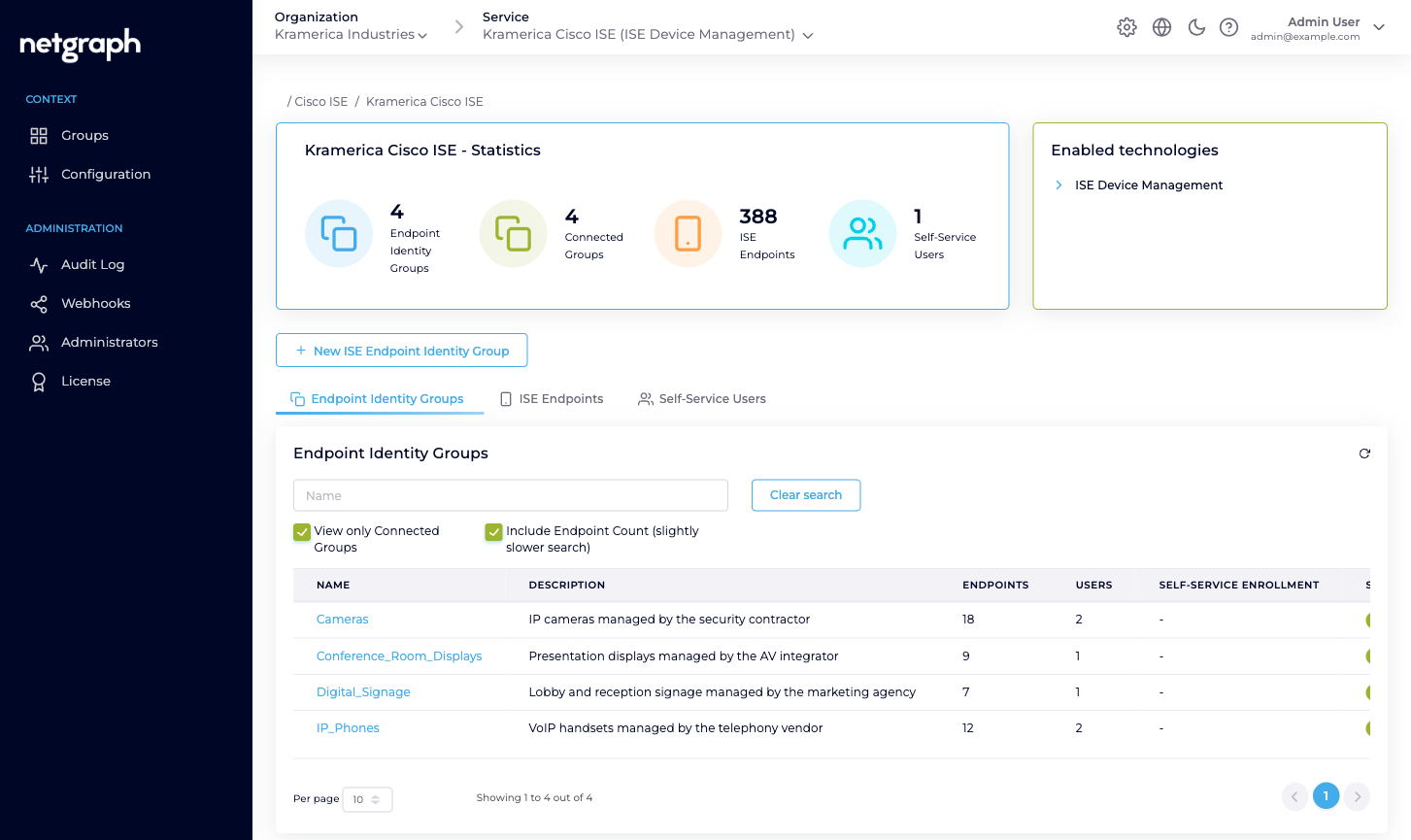
- IP phones authorise on the wire by MAB. The knowledge of which handset serial number goes with which extension lives with the telephony vendor — not the network team.
- IP cameras authorise by MAB. The knowledge of which camera is being installed at which loading dock lives with the security contractor.
- Conference-room displays authorise by MAB. The knowledge of which unit was swapped out of which room lives with the AV integrator.
- Digital signage authorises by MAB. The knowledge of which new kiosk goes into which reception lobby lives with the marketing agency.
Every one of those categories is a candidate for its own managed Endpoint Identity Group and its own Group Administrator.
The same shape fits:
- BYOD onboarding in an ISE deployment — each business unit or subsidiary gets its own group and its own enrolling admin.
- IoT inventories — each vendor of sensors / badges / printers / access-control panels owns their own group.
- Shared labs and test benches — each lab team owns a group and lists their own equipment.
Who does what
Section titled “Who does what”Three roles appear in an Endpoint Manager deployment. Each holds the scope they need and no more.
| Role | Scope | Typical actions |
|---|---|---|
| Organization administrator | The Organization and every Context inside it. | Connect the Context to Cisco ISE, define Managed Attributes, bring Endpoint Identity Groups under managed administration, review audits, handle Group-Administrator handovers. |
| Group Administrator | One Endpoint Identity Group, in one Context. | View, add, update, remove endpoints. Invite, modify, remove Self-Service Users on the same group. Runs the group’s day-to-day. |
| User (default) | One Endpoint Identity Group, in one Context. | View, add, update, remove endpoints. Can’t touch Self-Service Users. |
The Group Administrator / User (default) split is per-group: the
same person can be Group Administrator on IP_Phones and User
(default) on Digital_Signage without any conflict.
The trust boundary
Section titled “The trust boundary”Delegated administration deliberately ends at two lines the Self-Service portal won’t cross:
- No ISE access. A Group Administrator never sees the Cisco ISE admin UI, can’t change authorization policies, can’t touch identity sources, can’t override authentication rules. They can only manipulate the endpoint records inside their group.
- No other groups. A Group Administrator only ever sees the
groups they’re invited to. A vendor managing
IP_Phoneshas no visibility ofCameras,Conference_Room_Displays, or any other group they aren’t a member of.
The platform enforces both boundaries on every request. A Self-Service User who somehow guesses another group’s URL gets a not-authorised response from the platform; the boundary is enforced server-side on every request.
Scaling from one group to many
Section titled “Scaling from one group to many”Starting point: one Context, one managed group, one Group Administrator. Add from there as each new delegation arrives.
Grow the Context by:
- Connecting another Endpoint Identity Group. Either a group that already exists in ISE or one you create from the platform. Give it a description that makes the ownership obvious.
- Defining a Managed Attribute that every group in the Context
shares. For example
vendor-owner(String): every managed group tags its endpoints with the vendor that manages them. - Inviting the Group Administrator who owns that kind of endpoint. One person usually; two or three for redundancy on critical groups.
- Letting the Group Administrator invite their own team as additional Self-Service Users. They know who in their organisation needs access.
There’s no hard limit on how many groups you can manage in a Context, or how many Self-Service Users a group can hold. The practical limit is Cisco ISE’s own — the platform reads your ISE’s groups and endpoints through its standard APIs.
Keeping honest — audits and webhooks
Section titled “Keeping honest — audits and webhooks”Delegated administration only works if you can see what got delegated. Every action Endpoint Manager performs is recorded:
- Audit Log. Every change — API credential update, Managed Attribute definition, group connect / disconnect, endpoint add / update / delete, Change of Authorization trigger — is in the Context’s Audit Log with a timestamp, the user who did it, and a field-level diff where applicable. See Audit Log.
- Webhooks. Configuration changes are published as
ise.configuration.auditwebhook events. Forward them into your SIEM, Slack channel, or change-management system. See Webhooks.
The combination gives you a reviewable record of what any delegated administrator did, which is the one thing delegation can never replace.