Netgraph · Sign In

Guest Wi-Fi that
just works. For everyone.

A cloud-based captive portal your visitors connect to in one tap. Branded. Self-service. Secure.

Book a demoSee it in action
Set up in 15 minutes
No client software
Your brand, not ours
● Connected · 2s ago

Welcome to AcmeCo HQ

Connect in one tap to enjoy fast, secure internet during your visit.

Your host
AL
Anna Lindberg
Approves requests instantly
What is Sign In

One platform. 10+ smooth ways to sign in.

Sign In is Netgraph's branded captive portal and policy engine, built so guests, employees, and IoT devices can get on the network the way that fits them best, with zero help-desk tickets.
Captive Portal

A fully responsive, multilingual captive portal that becomes the first impression of your network. Fast, polished, and built to convert.

Branding & customization

Match your visual identity end-to-end. Logos, colors, fonts, redirects, and per-language strings, all configurable without involving designers or developers.

Cloud-based administration

Manage every Sign-In Context from one cloud admin portal. Real-time analytics, role-based delegation, and changes that go live instantly.
Self-service for everyone

Meeting hosts approve their own visitors. Employees onboard their own devices. Residents manage their own networks. IT keeps control.

Captive portal examples

One engine. Every brand on top.

Same engine, infinite looks. Logos, colors, fonts, redirects, and per-language strings, configured by the customer and deployed live in seconds.
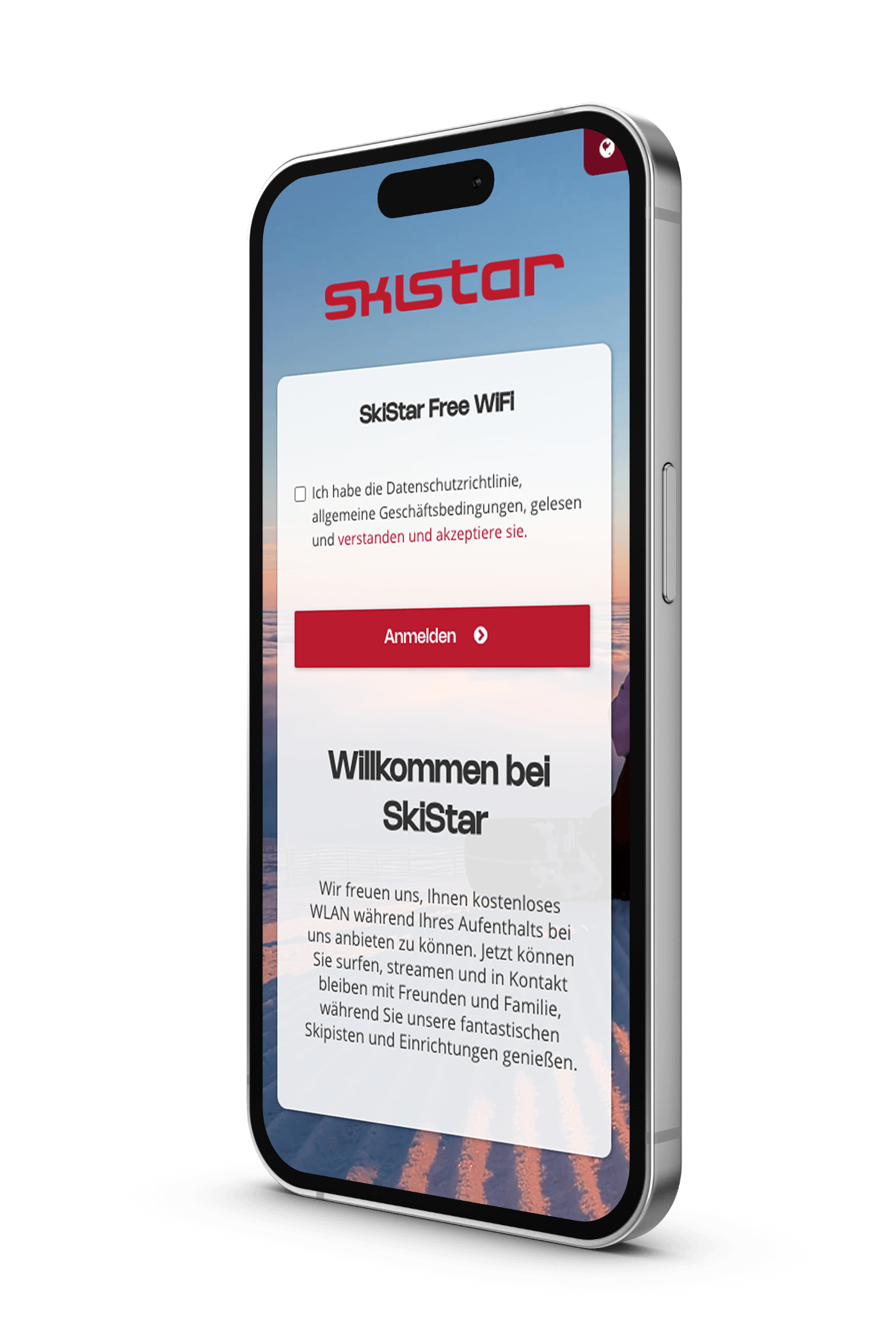
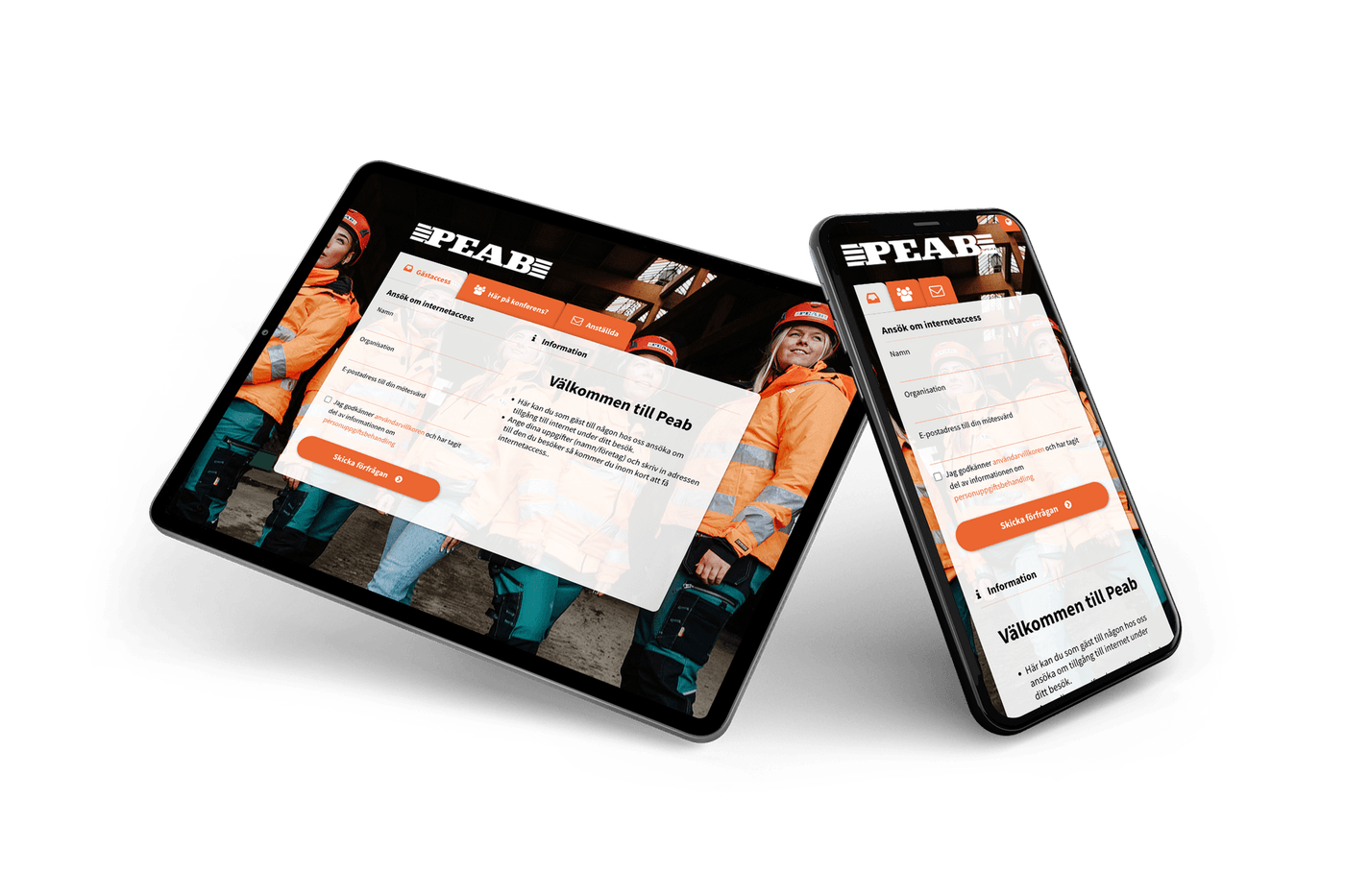
SkiStar captive portal
SkiStar
Resort Wi-Fi on every device: branded sign-in, language picker, and terms.
Peab captive portal
Peab
Site Wi-Fi for construction crews, brand identity intact, deployed across projects.
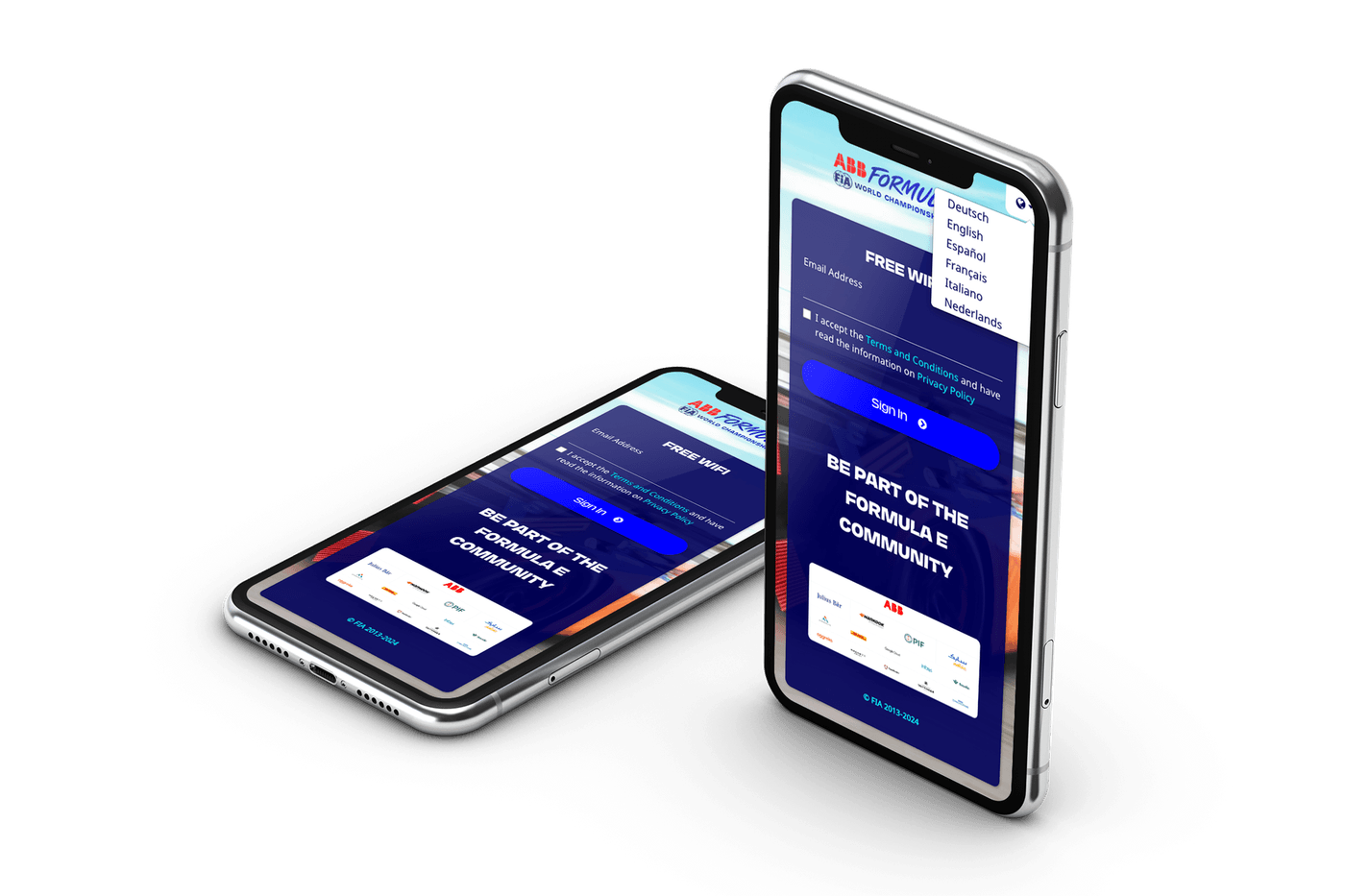
Formula E captive portal
Formula E
Race-weekend Wi-Fi across the global tour, branded once, deployed in every city.
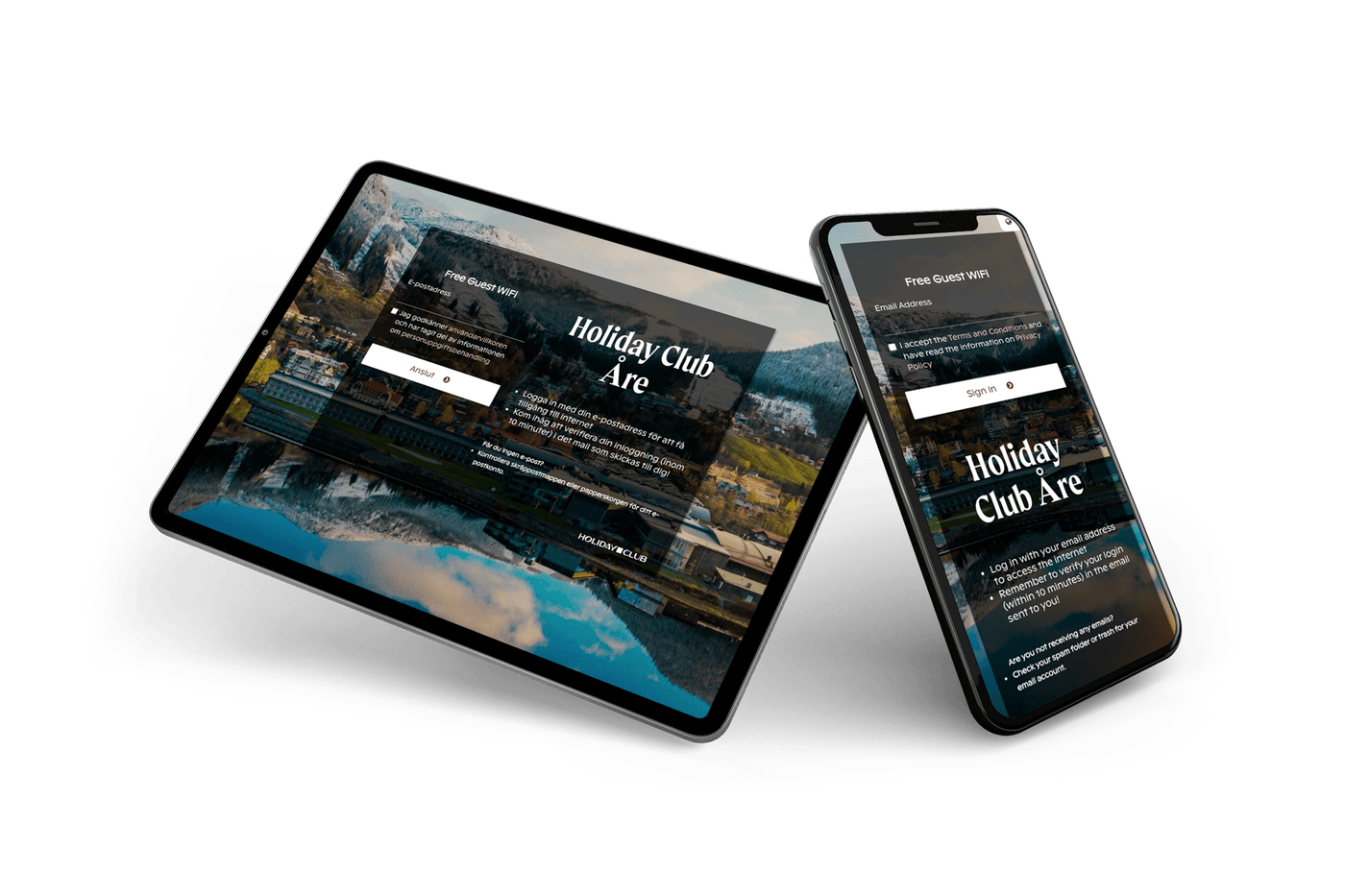
Holiday Club Åre captive portal
Holiday Club Åre
Resort Wi-Fi with destination photography, branded once, deployed every season.
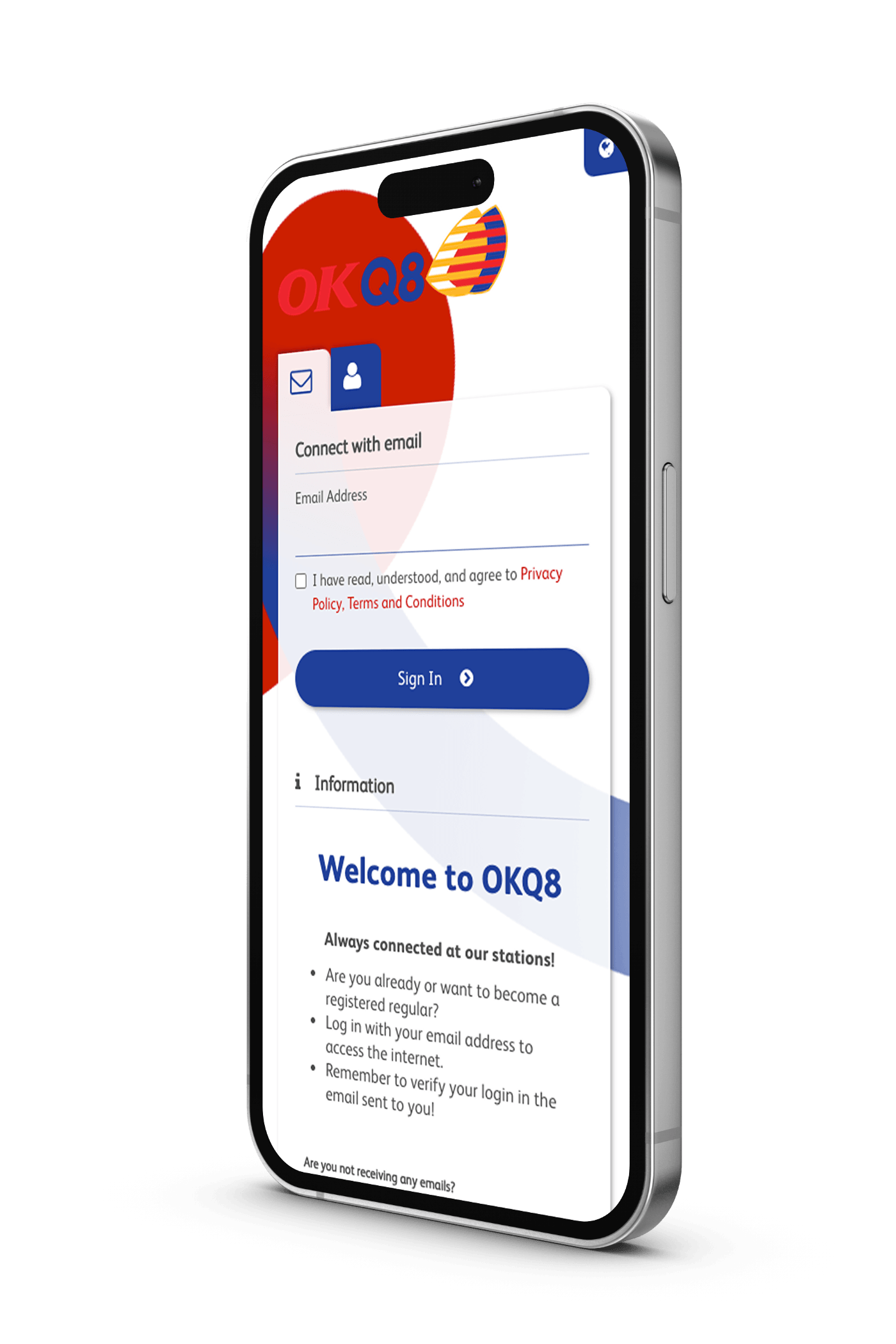
OKQ8 / Q8 captive portal
OKQ8 / Q8
Retail captive portal across hundreds of fuel stations. Same brand, every site.
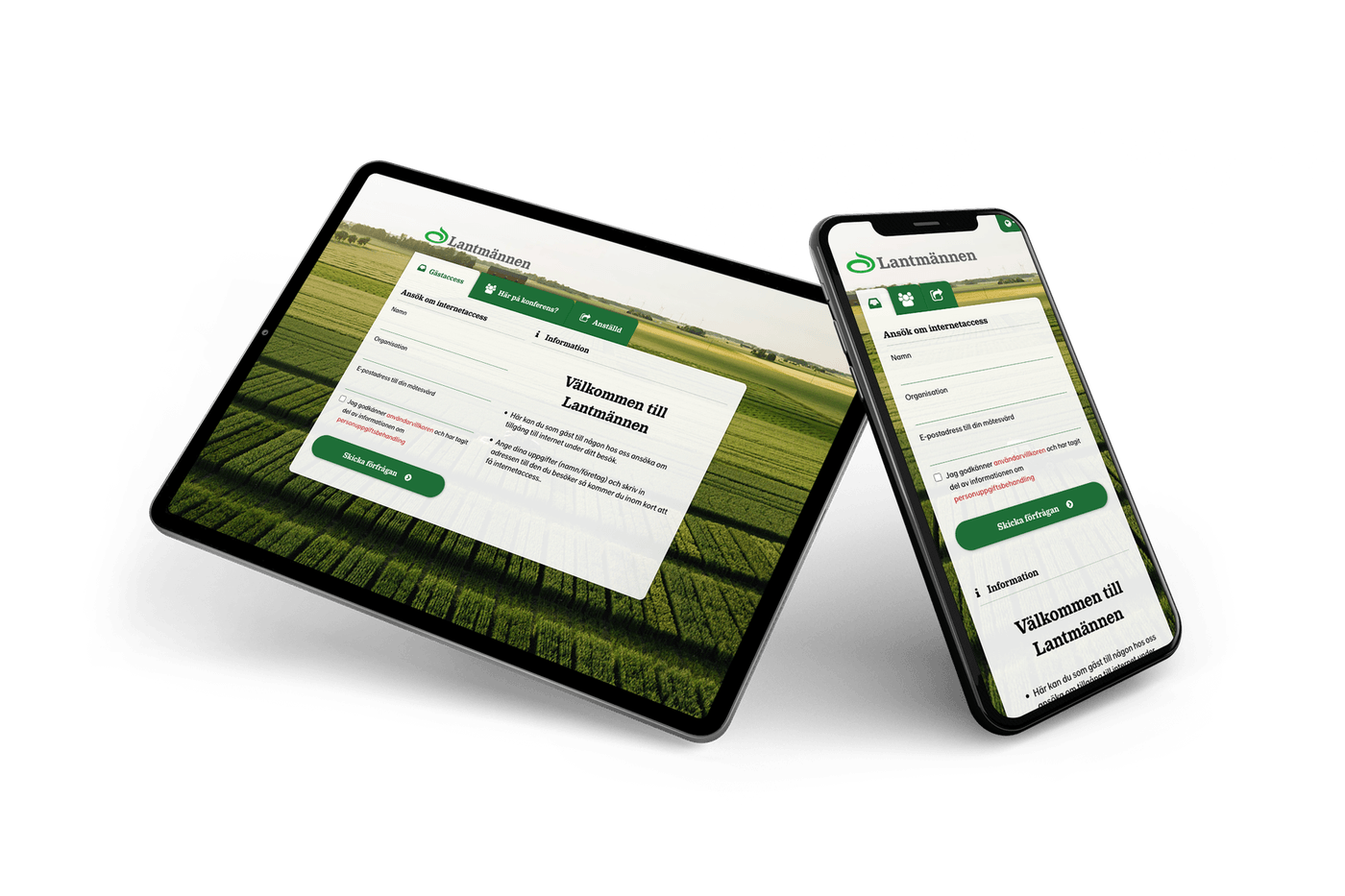
Lantmännen captive portal
Lantmännen
Visitor Wi-Fi across sites and silos, branded once, deployed at every location.
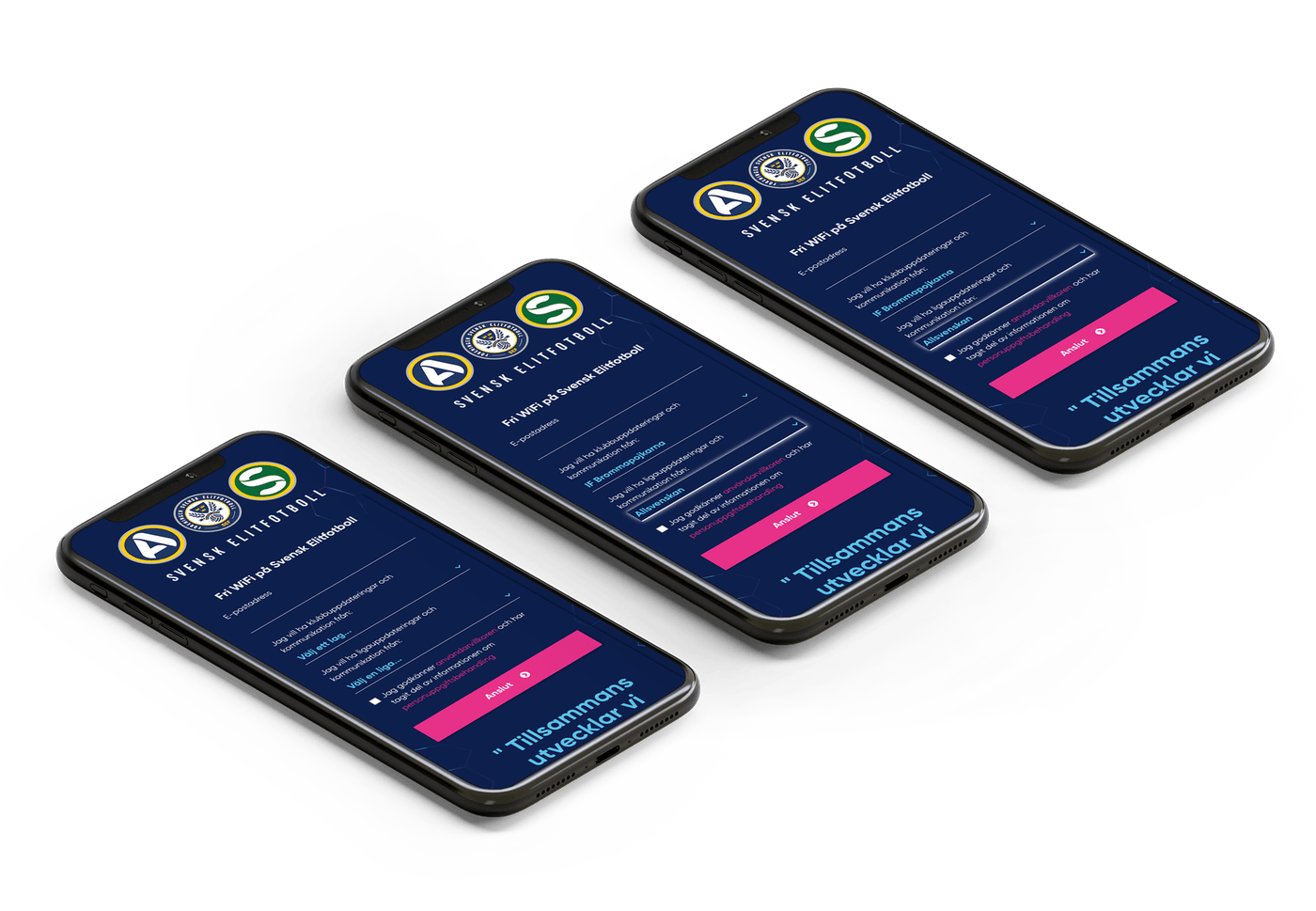
Svensk Elitfotboll captive portal
Svensk Elitfotboll
Matchday Wi-Fi for the league and its clubs, branded once, deployed across every arena.
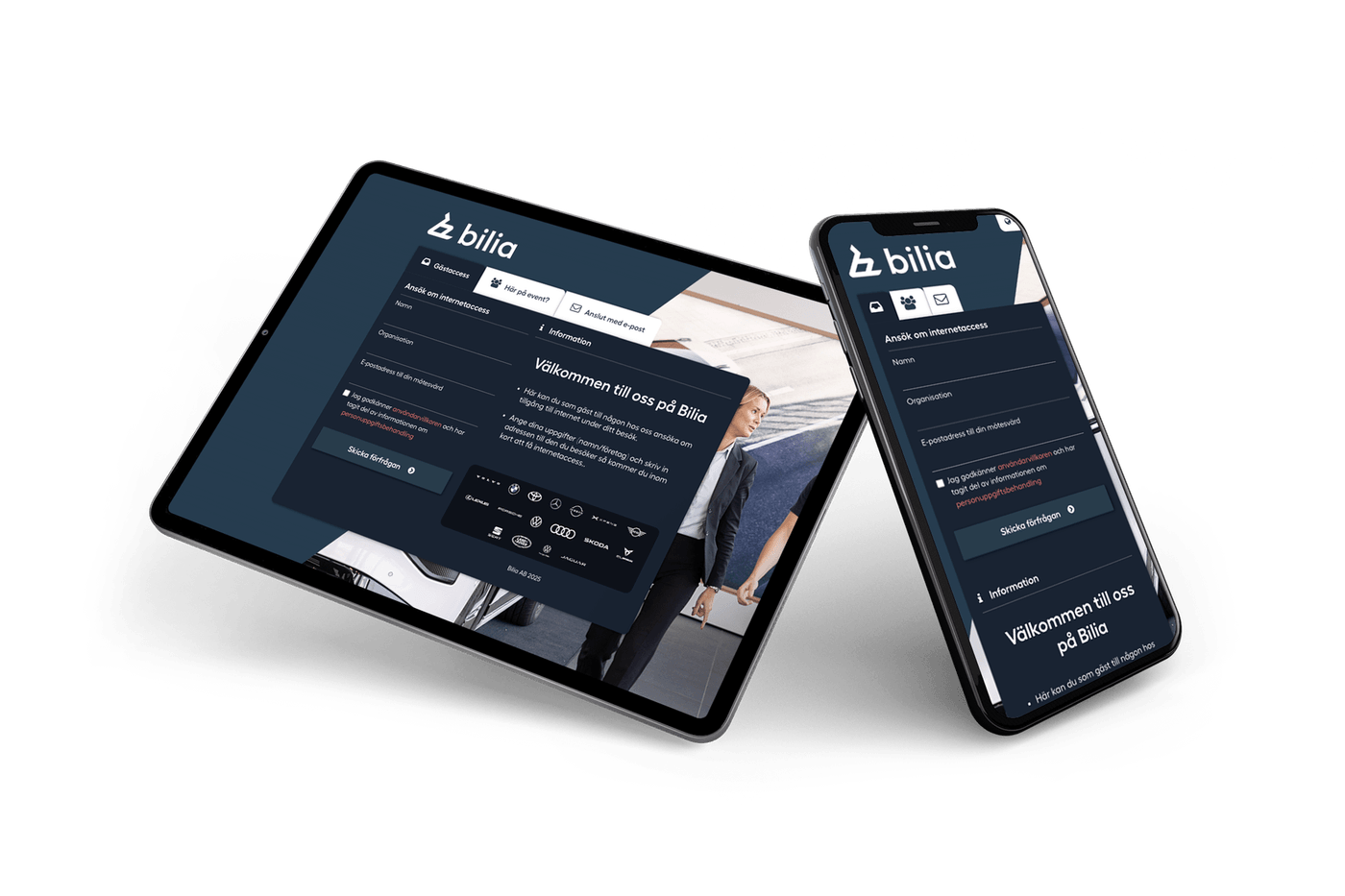
Bilia captive portal
Bilia
Showroom and workshop Wi-Fi: dark theme, light footprint, one brand across the chain.
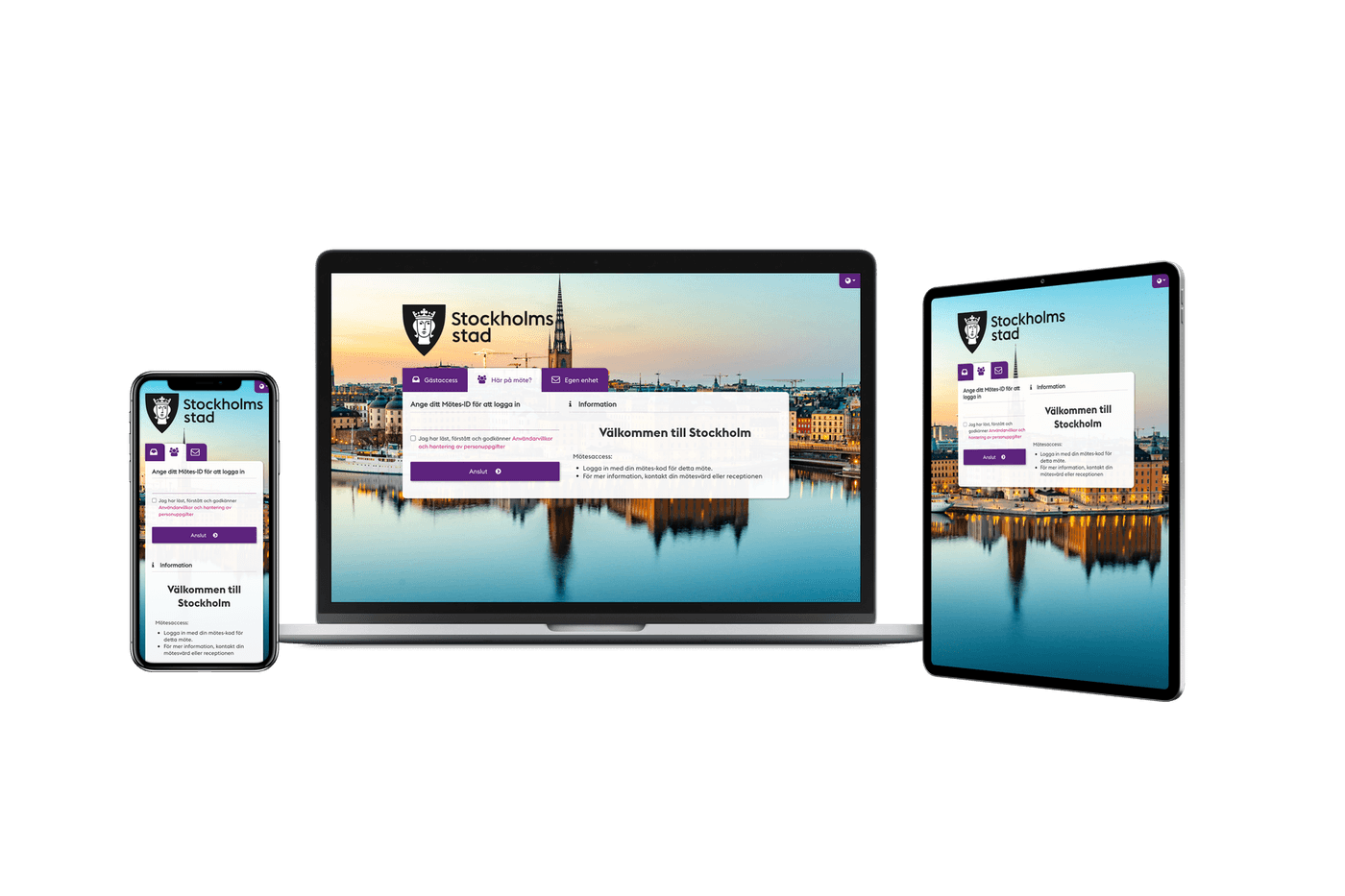
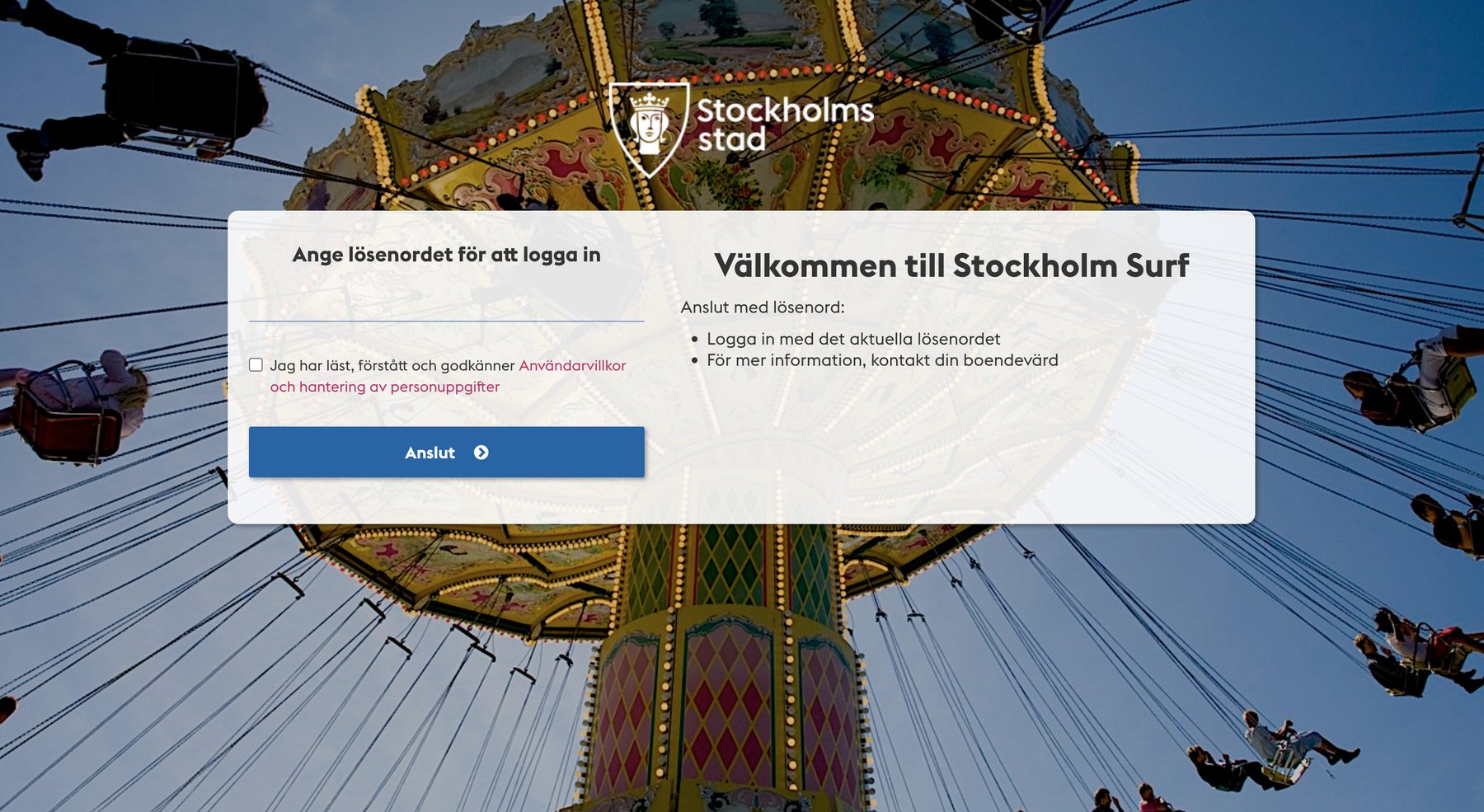
Stockholms Stad captive portal
Stockholms Stad
Responsive captive portal across phone, laptop, and tablet. One brand, every screen.
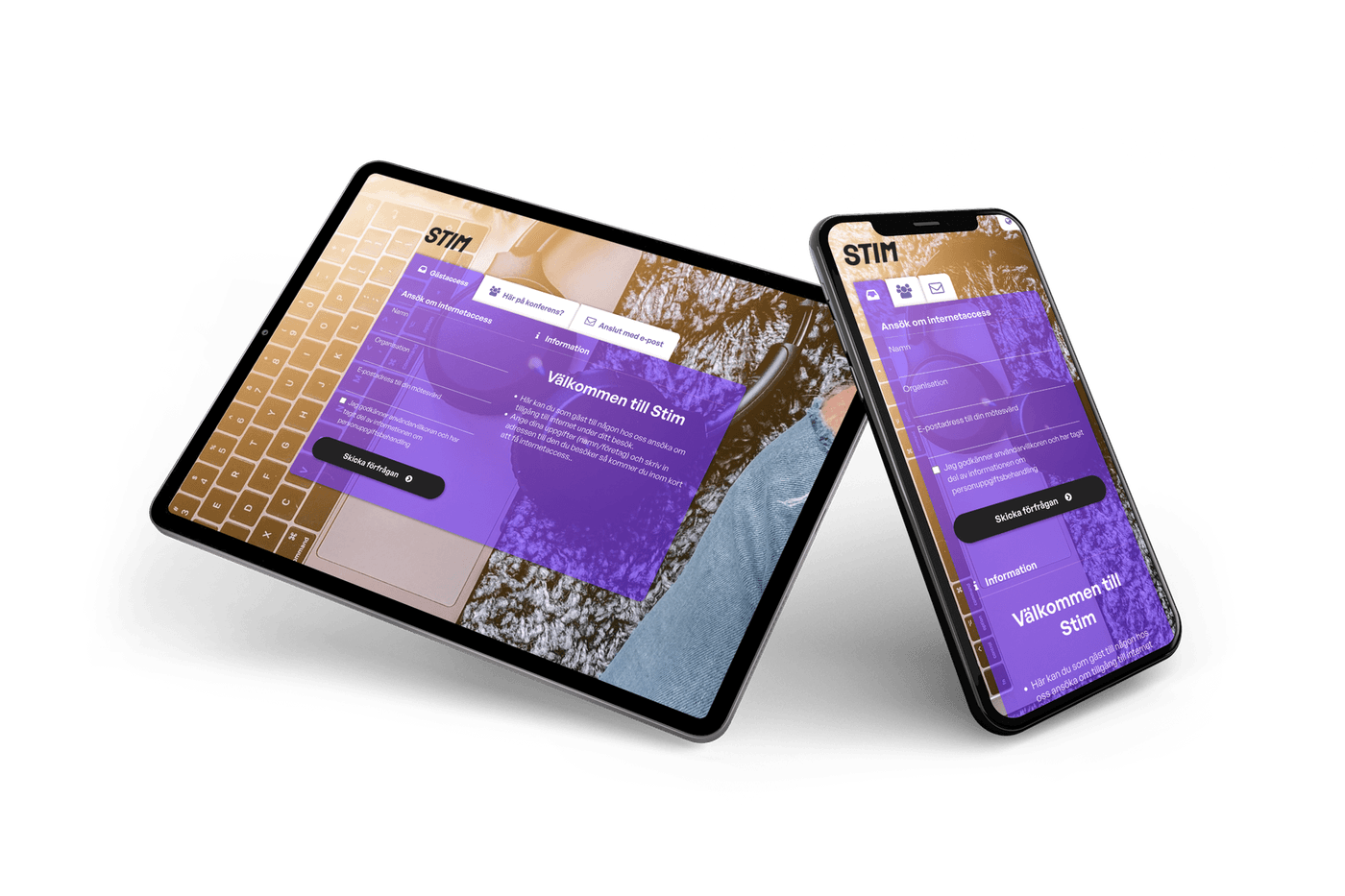
STIM captive portal
STIM
Office and event visitor Wi-Fi, branded around the organisation, not the network.
Plug & play integration

Three ways to deploy. Zero new infrastructure.

Sign In drops onto the network you already have: Cisco Meraki cloud, Cisco routers as Service Gateway, or Cisco SD-WAN with local internet breakout. Same captive portal, same admin, same self-service.

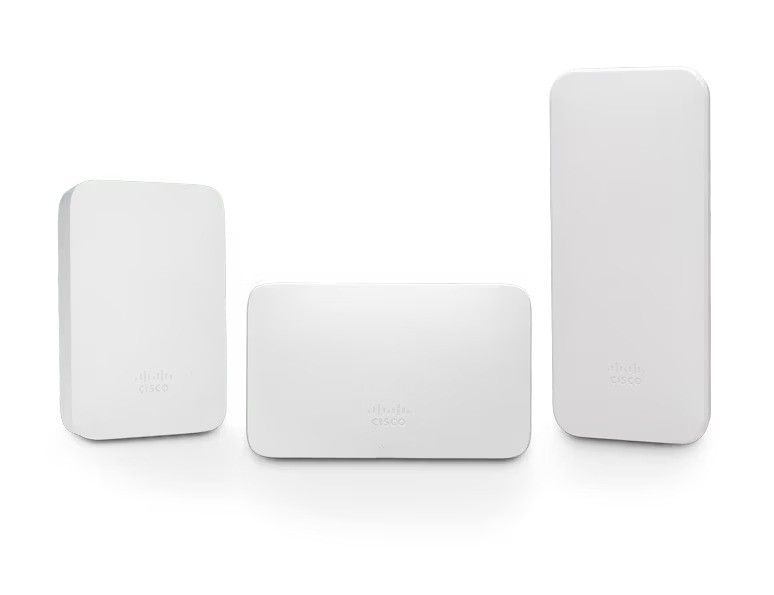
Cisco Meraki access points
Cisco MerakiCloud-to-cloud

Cisco Meraki Networks

Plug & play integration with your Meraki network. No appliances, no RADIUS server to run, nothing installed at the site. Point the guest SSID at Sign In in the Meraki Dashboard and the captive portal is live.

  • Truly cloud-to-cloud, no extra hardware required
  • Works with every Meraki MR access point
  • Branded captive portal on the existing SSID
  • Per-network policy delegated through Sign In
See how it connects
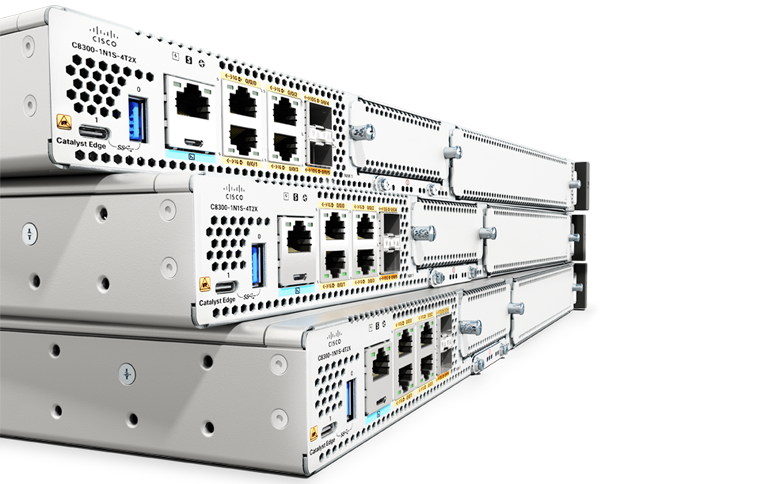
Cisco Catalyst routers, the Service Gateway lineup
CiscoRouted integration

Cisco Service Gateway

Deploy Sign In on any Cisco router acting as a Service Gateway. Built-in DHCP and DNS make it fully self-sufficient: smooth, reliable, and hassle-free deployment from day one.

  • Runs on Cisco ISR and Catalyst 8000 routers (IOS-XE)
  • Built-in DHCP and DNS, no separate services to wire up
  • Encrypted FlexVPN tunnel back to the cloud service
  • Hot-standby and load-balanced redundancy options
See how it connects
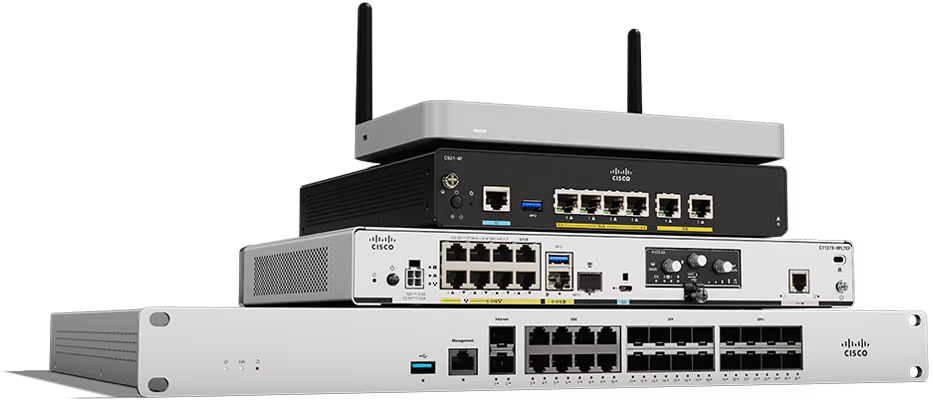
Cisco SD-WAN branch routers
CiscoLocal breakout

Cisco SD-WAN (Viptela)

For multi-site estates that need local internet breakout. Provision Sign In through vManage templates and let each site go straight to the internet: secure, scalable, and centrally managed.

  • vManage templates for repeatable deployments
  • Local internet breakout per site for low-latency guest traffic
  • Centralized telemetry across every Service Gateway
  • Same Sign In experience, distributed by design
See the Service Gateway sketch
How it connects

Two paths into your network. Watch how each one connects.

Choose Service Gateway or Meraki, then the angle: how the integration is built, how one guest gets from the SSID to the internet, and how it grows from one site to many. Cisco SD-WAN sites run the Service Gateway integration, provisioned through vManage, so that tab covers them too.

Service Gateway Integration step by step

Your network · any WLAN vendor Netgraph Cloud Internet Guests own devices WLAN any vendor Service Gateway Cisco IOS-XE Sign In captive portal · DHCP · DNS Administration Portal the Sign-In Context Sign-In Context Service Gateway (Routed Integration) Router ID · public IP registered under Service Integration Service Gateway Framework template from the MSP Portal IOS-XE configuration variables filled in, ready to load FlexVPN · IKEv2/IPSec control plane · BGP optional DHCP · DNS · portal relayed by the gateway to the cloud Option 114 · portal URL Sites · modules · Look & Feel walled garden · Service Status green Local breakout · NAT HA pair · multi-site

Service Gateway is a Cisco router that routes your network to the cloud. Its configuration is generated from a framework in Administration Portal. Portal, DHCP and DNS come from the cloud, while internet traffic breaks out locally.

  1. Step 1 of 8 Starting point A guest network on any WLAN vendor, guests with their own devices, and an internet connection. None of it is replaced.
  2. Step 2 of 8 Create the Sign-In Context In Administration Portal, the Sign-In Context is the instance of Sign In for this network. The wizard asks for a name, the SSID name, a default redirect, Production or Demo, and the network integration: Service Gateway (Routed Integration). The context gets its own captive portal URL.
  3. Step 3 of 8 Register the Service Gateway A Cisco IOS-XE router (ISR 1100 or 4400 with the Security and AppX licenses, or Catalyst 8100 to 8500 with DNA Essentials or Routing Advantage, on a supported IOS-XE release) is placed between the guest network and the internet. It can sit behind your firewall. With NAT in the path, NAT-T goes on at both ends. Under Service Integration you add it with its Router ID and public IP, and pick the IPsec remote peer it will connect to.
  4. Step 4 of 8 Generate the configuration from a framework A Service Gateway Framework is a router-configuration template your partner maintains in the MSP Portal. Select it in the gateway detail view: the platform fills in the reserved variables (platform address, IKEv2 pre-shared key, tunnel interface IP, BGP AS numbers, context and router ID) and you set the custom ones (WAN and LAN interfaces, DNS). The result is a complete IOS-XE configuration for this router, ready to load onto it.
  5. Step 5 of 8 FlexVPN tunnel to the cloud With the configuration loaded, the router brings up a FlexVPN tunnel (IKEv2/IPSec) to the Netgraph platform. The tunnel carries the control plane: session state, events, policy updates and telemetry. Guest traffic never enters it. BGP is optional, runs inside the tunnel, and advertises the guest subnets automatically. Each context is isolated in its own VRF.
  6. Step 6 of 8 DHCP scopes, DNS and Option 114 DHCP runs in the Netgraph cloud. The gateway relays guest requests to the platform, so no on-site DHCP server is needed. You add one scope per VLAN, subnet or site: address range, default gateway, DNS servers, lease time, and Option 114 with the portal URL (RFC 8910), on by default and overridable per scope. DNS forwards to your resolvers in Plain mode, or filters as Cloud DNS.
  7. Step 7 of 8 Sites, walled garden, modules and branding Sites Configuration ties scopes to sites, the walled garden lists what guests may reach before sign-in, Sign In Modules and Access Policies decide who signs in and how, and Look & Feel brands the portal. The Service Status cards on the Service Gateway page show DHCP, DNS, IPsec and BGP green when everything is up.
  8. Step 8 of 8 Redundancy and local breakout One context can run several gateways, up to 10 on Enterprise: an active/standby or active/active pair at one venue, one per site, or geo-distributed. They share the context modules and policies. Only DHCP scopes, IPsec peers, BGP peers and DNS entries differ per gateway. Guest internet traffic breaks out locally at the gateway and never passes through the cloud.
Branding & engagement

Your brand at every connection point

Every guest who joins your network passes through your captive portal. That's a brand impression you'd otherwise pay for. Sign In turns it into an asset: on-brand, multilingual, and built to drive real engagement.
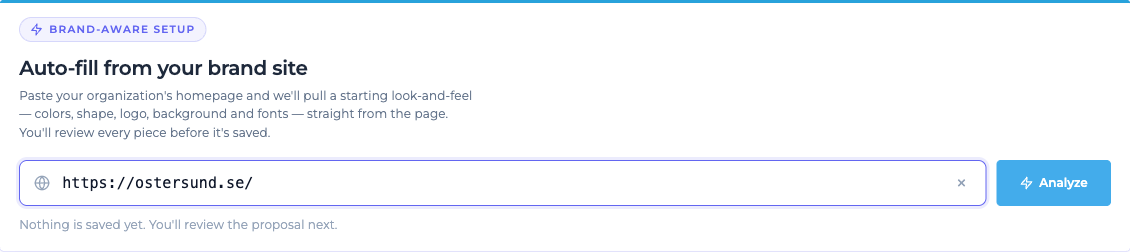
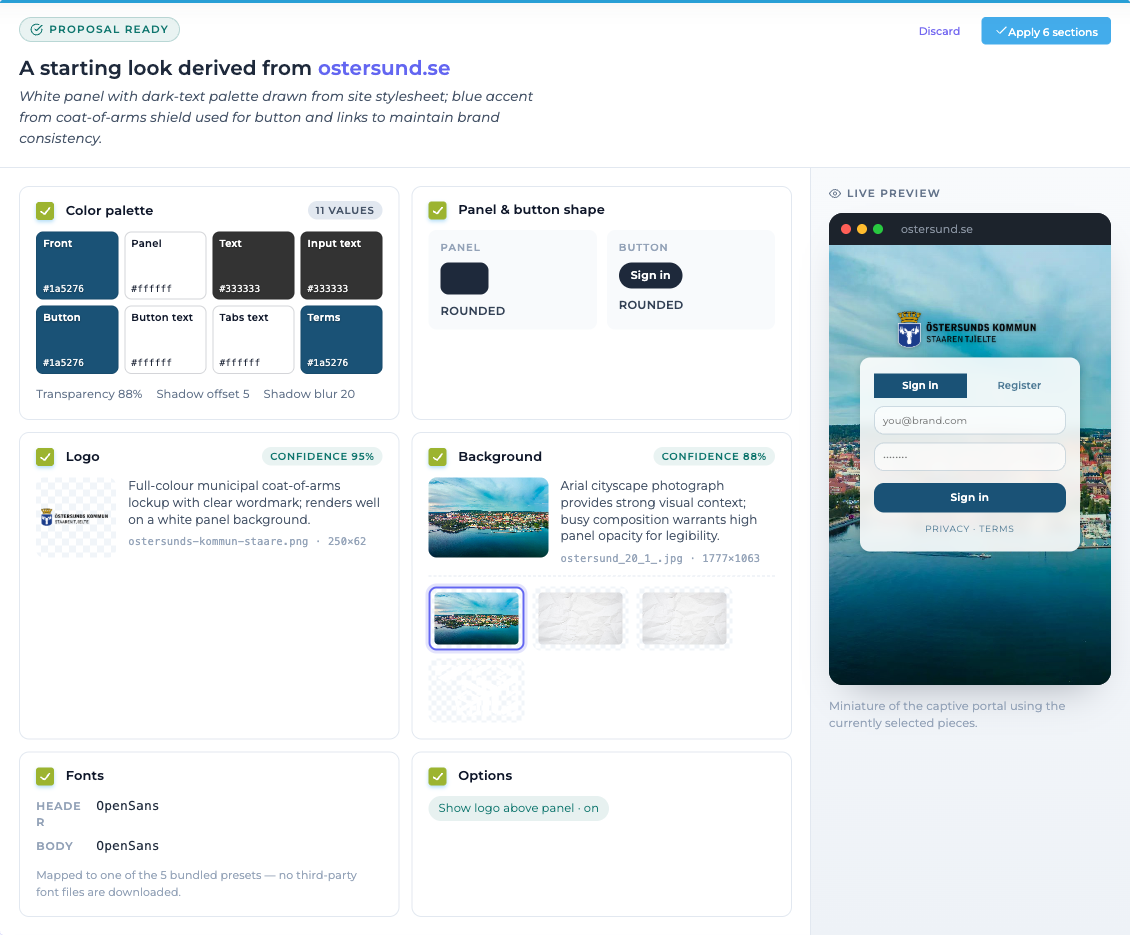
  • AI-assisted setup. Paste your homepage URL, get a proposed palette, logo and fonts in seconds.
  • Logos, colors, fonts, panel styles: match your visual identity exactly.
  • 13 languages out of the box, with per-language string overrides.
  • Mobile-first layouts that adapt to phone, tablet and lobby kiosk.
  • Click-to-Connect redirects guests to your homepage, campaign or sponsor page.
  • Embed surveys, promotions or matchday content for deeper engagement.
  • Per-context branding. Different sites, different brands, one platform.
01Paste your URLAuto-fill from your brand site: paste a URL and press Analyze
02AI proposes the brandAI proposal: palette, logo, fonts derived from a brand site
03Live in minutesLive captive portal with branded colours and layout
Admin & reporting

Cloud admin. Delegated work.

One cloud Administration Portal manages every site, brand, and login method. Designed so the people closest to the work (IT, marketing, reception) can run things themselves without filing tickets at HQ.

Personalize the Captive Portal
Brand colors, logos, messaging. Every Sign-In Context can have its own look and feel, edited inline and live in seconds.
Pick from 10+ sign-in methods
Activate the methods that fit each network. Run multiple methods in parallel with their own redirects, durations, and policies.
Real-time usage & analytics
See who's online, where they are, and what they're using. Traffic graphs, per-method counts, exportable session data.
Manage DHCP & DNS services
Built-in DHCP and DNS controls keep IP addressing and domain resolution under your management, with no extra tooling needed.
Delegated administration
Role-based access: site admins manage one venue, group admins manage many. Reception staff get exactly the rights they need.
Audit & compliance built in
Every change tracked. Export user activity for compliance audits. Retention policies configured per Sign-In Context.
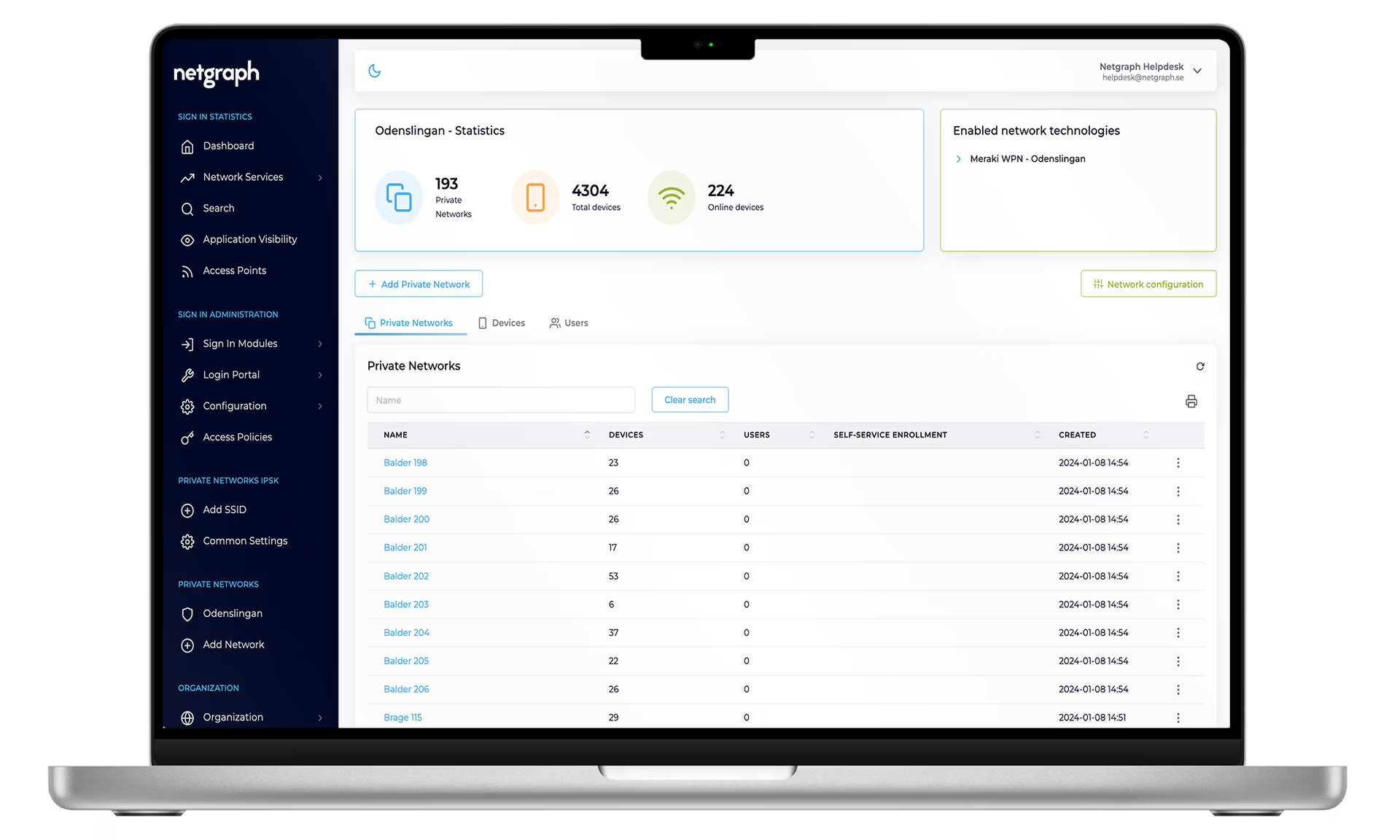
Netgraph Sign In administration portal, dashboard view
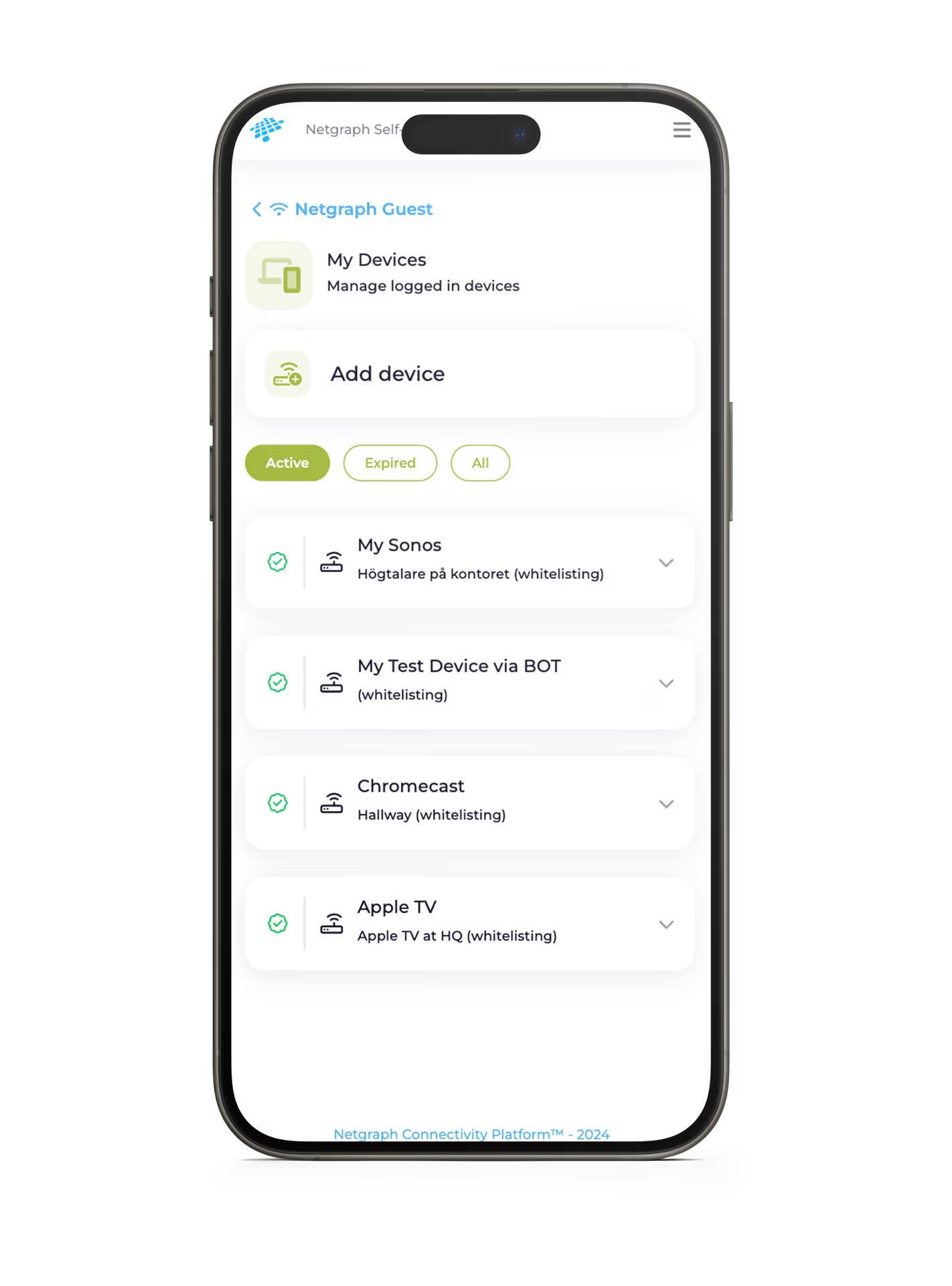
Self-Service Portal, whitelisting interface
Self-Service Portal

Connect. Manage. Smile. Without a help-desk ticket.

The Self-Service Portal puts day-to-day access management in the hands of the people who actually need it. Employees approve guests, residents add devices, consultants onboard themselves. IT gets out of the bottleneck.

Smooth visitor access
Visitors land on the Wi-Fi, request access, and an employee approves with one click in their inbox.
HOT
Connect smart devices
Whitelisting for smart TVs, coffee machines, IoT. Distributed admin without IT in the loop.
Create Conference IDs
Generate unique IDs so larger groups onboard themselves seamlessly at events and classes.
Secure personal devices
Employees and consultants connect their own devices safely, on policy, in a few clicks.
Track visitors and devices
Clear summary of who's approved, what's online, and when access expires.
Choose your login method
Secure portal access via SAML SSO or email verification. Same identity wherever you work.
Compliance & data privacy

Compliant by design, controllable in detail

Netgraph Sign In is built so the right things are easy and the wrong things are hard. Personal data has a lifecycle. Audit trails are exportable. Every visitor sees exactly the terms you choose to show them.

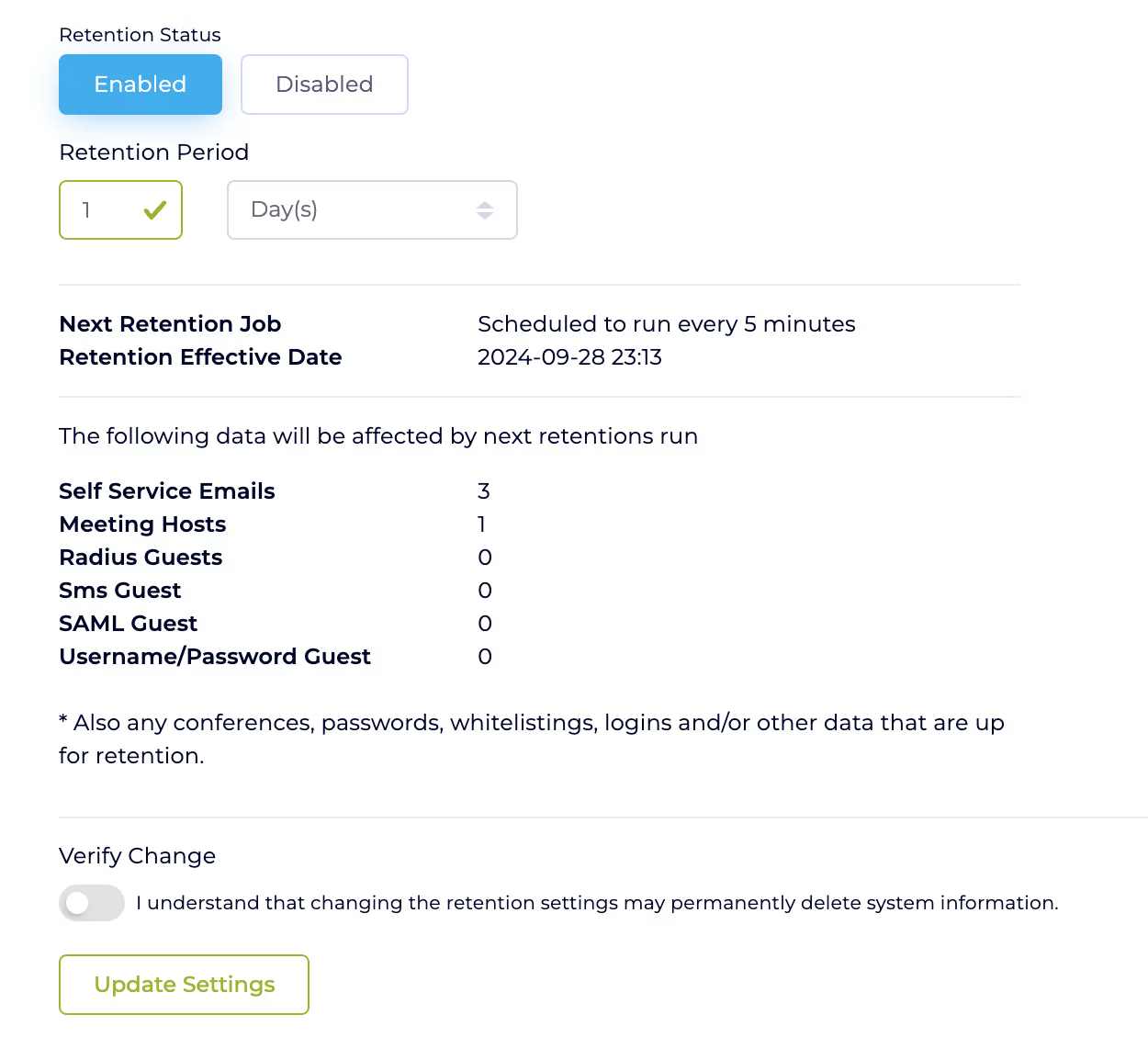
Configurable retention
Set retention in days, months or years per Sign-In Context. Personal data is automatically deleted when the window closes, in full GDPR alignment.
Search & report on demand
Look up any user by MAC, email, or phone. Detailed engagement reports. Honour opt-out, removal, and anonymization requests with a few clicks.
Terms & privacy acknowledgement
Visitors accept your terms and acknowledge your privacy policy before access is granted. Auditable, traceable, and per-context configurable.
Audit trails for everything
Every admin action, every login, every policy change, logged and exportable. Make audits a copy-and-paste exercise instead of a project.
Retention policy configuration in the Netgraph admin portal
Sign-in methods

Pick the methods that fit your network

Run any number of methods side by side on the same Captive Portal. Each one has its own page below. Read up, then mix the ones that match your use case.

Popular

Meeting Host

Visitors enter their host's email, and the host approves access in one click from email or the Self-Service Portal.

Read more →

Conference & Group ID

Generate one-time IDs for events, courses or classes. Large groups onboard themselves in seconds.

Read more →

Self-provision via email

Guests sign in with their email, verify in one click, and get controlled access. Perfect for hospitality and enterprise.

Read more →

Self-provision via SMS

Phone-based onboarding for venues without email addresses on hand. Verified, traceable, and instant.

Read more →

BYOD with SAML SSO

Employees sign in with their existing identity (Entra ID, Google, Okta). No passwords on the captive portal.

Read more →

Click-to-Connect

One click, terms accepted, redirect to your homepage. Public Wi-Fi that doubles as a brand touchpoint.

Read more →

Whitelisting

Trusted devices without screens (printers, sensors, IoT) get on instantly. Manage via portal, bulk import, or MDM API.

Read more →

Password subscription

Time-bound network passwords: daily, weekly, monthly. Display on intranet or push to staff via email subscription.

Read more →

Username & password

Classic credential-based login for accounts you provision yourself. Useful for long-term contractors and devices.

Read more →

Event access

Time-limited public access for one-off events. Opens at start, closes automatically when it's over.

Read more →

Safe. Simple. Smooth. See for yourself.

A short demo, anywhere from 30 minutes to an hour, depending on what you want to dig into. Bring your toughest requirements. We'll show you how Netgraph handles them.

Book a demoRead the docs