

01
MAC address management
Organize non-802.1X devices by MAC group for simpler onboarding and efficient management.

Cisco ISE keeps doing what it does best: 802.1X, MAB, iPSK, profiling, authorization policies. Endpoint Manager sits next to ISE, not in front of it, and hands per-group endpoint administration to the people who actually own those devices.
The telephony vendor manages IP_Phones. The security
contractor manages Cameras. The AV integrator manages
Conference_Room_Displays. None of them log in to ISE.
No ISE seats handed out. No tickets to add a new printer. No quarterly access review chaos.
We have around 4,200 medical devices across seven sites. Every infusion-pump swap used to sit in our ISE backlog for two weeks. The network team had basically become a data-entry function.
We couldn't hand helpdesk an ISE login (the audit risk was too high), but they were still first in line every time a port got blocked. Tickets sat over weekends. Security blocked service.
Twelve contractors emailing MAC addresses to a shared inbox. Every Friday afternoon disappeared into registration tickets. The network team dreaded month-end and quarterly reviews.
Netgraph establishes a Connector tunnel from our cloud to your firewall. The Cisco ISE API never leaves your perimeter. Granular rules in the tunnel scope what we can call.
Organize non-802.1X devices by MAC group for simpler onboarding and efficient management.
Onboard hundreds of devices at once via CSV to save time and reduce manual effort.
Track device location and live status (online, offline, or session-active) straight from the portal.
Single sign-on with SAML for secure, seamless access to admin and self-service portals.
Granular roles control who can manage endpoints, invite users, or configure group settings.
Rotate Wi-Fi keys from the self-service portal: one shared key for a group, or a unique key on every device. No ISE login needed.
Group administrators add, remove, and edit their own devices, and see who's connected, where, and how much traffic.
Carry VLANs, SGTs, asset numbers and end dates on the endpoint record, per group or per device, for your ISE policy to read.
Network admins manage Endpoint Identity Groups, contexts, and API integrations from a single dashboard. Group administrators see only their devices, on whatever screen they happen to be on.
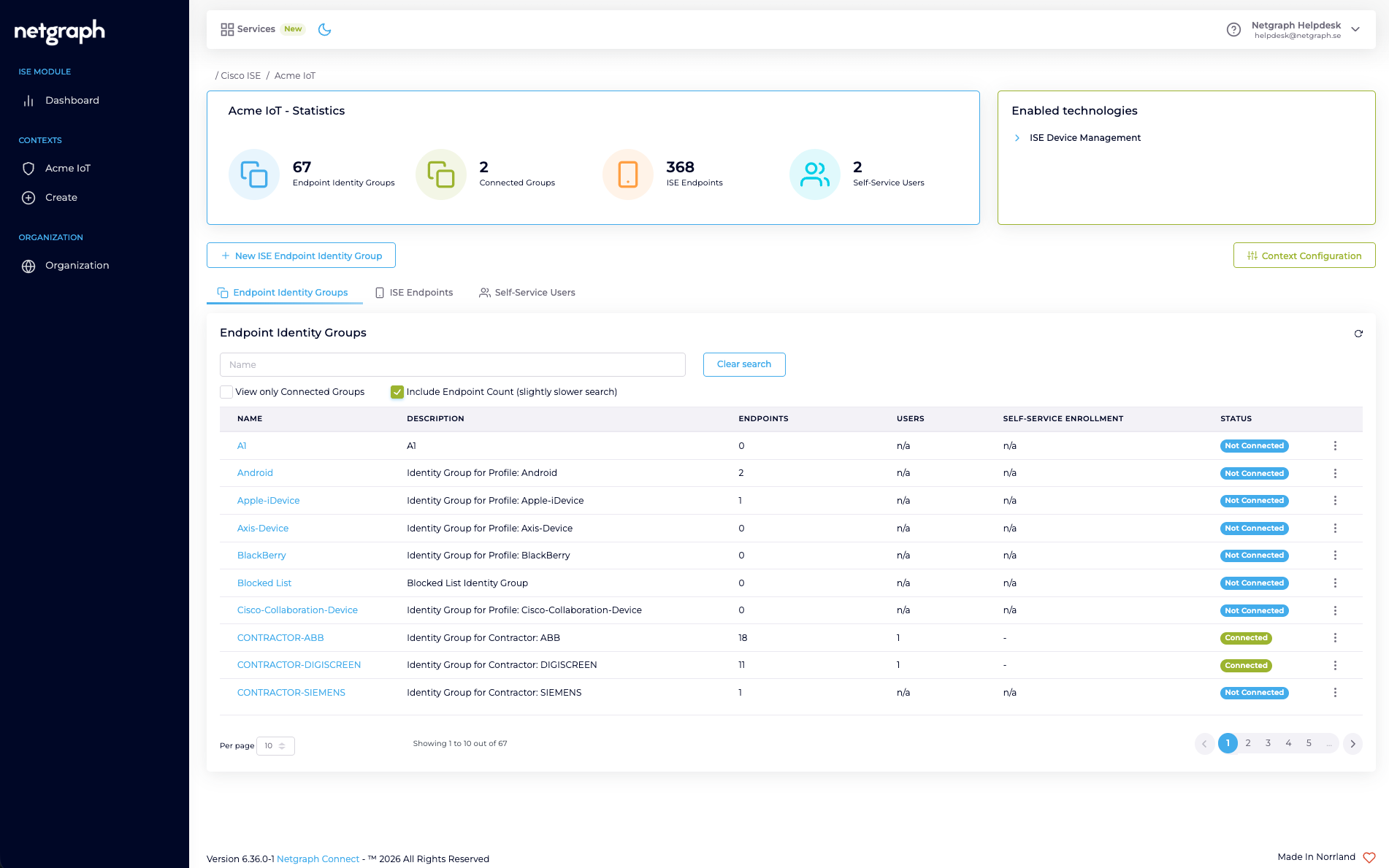
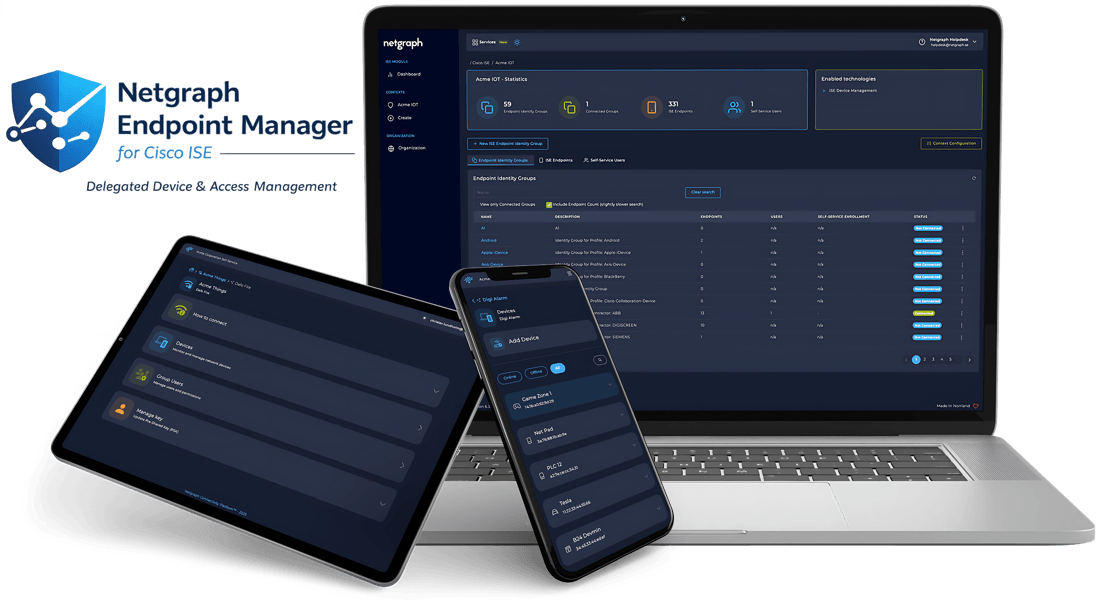
Facts that hold for a whole group belong on the group. What differs from one device to the next belongs on the device. Asset numbers, end dates, owners, a VLAN: Endpoint Manager writes them onto the endpoint record inside your Cisco ISE, where your own authorization policy can read them.
Every device carries the identifier your CMDB already knows it by, kept current by the people who own the hardware rather than by a ticket to the network team.
An end date on the device, and one authorization rule in Cisco ISE that admits it only while that date is still ahead. Netgraph keeps the date accurate. Cisco ISE decides what it means.
A VLAN or an SGT on the individual endpoint, so a single Endpoint Identity Group can hold devices that are meant to land in different places.
 end-date is in the future
→ Permit
Netgraph keeps the values accurate and in the right place. Cisco ISE decides what they mean.
Each Endpoint Identity Group in your Cisco ISE can be opted in to managed administration and handed to the right Group Administrator. They see only their group, and never log in to ISE.
Cookies help us improve this site. With your consent we also measure how it is used, with our own analytics and Google Analytics, configured with no advertising or cross-site tracking. Read our Privacy Policy for more.
When you visit our website it may store or retrieve information in your browser, mostly as cookies. This information is used to make the site work as you expect and, with your consent, to understand how it is used. Because we respect your privacy, you can choose not to allow some cookies. Note that blocking some of them may affect your experience.
These cookies are needed for the website to function and cannot be switched off. They are usually set only
in response to actions you take, such as signing in to internal areas or filling in a form. They store no
information that identifies you personally (cookie: ng_learn_session).
With your consent, we measure how the site is used: unique and returning visitors, approximate city and
region, time on a page, and entry and exit pages. This runs on our own first-party cookies
(ng_consent, ng_vid, ng_sid) and on Google Analytics
(_ga), configured so Google gets no advertising or cross-site signals. We never store your IP
address. If you do not allow this, we use only privacy-friendly, cookieless measurement.