
Internal DNS records
Point an internal hostname straight at an IP address, and set the upstream resolvers Cloud DNS forwards to.
DNS settings holds the parts of Cloud DNS that are DNS service rather than filtering: the upstream resolvers it forwards to, and the internal records it answers itself. Neither is affected by your blocklists or allowlists.
You find it under DNS settings in the Cloud DNS section of the menu. The DNS mode itself is set on the Service Gateway page, and Change the DNS mode on this page takes you there.
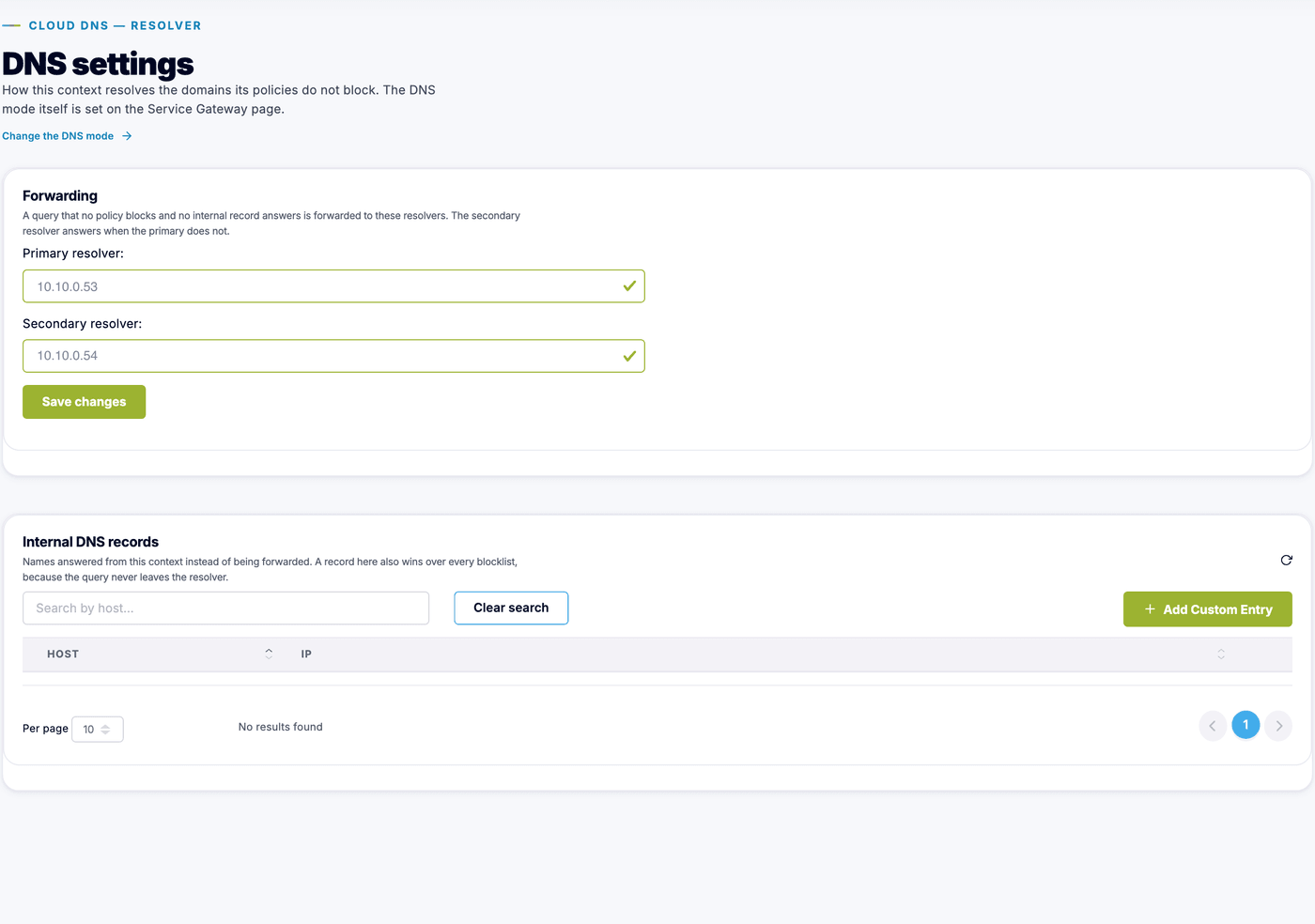
Upstream resolvers
Section titled “Upstream resolvers”Cloud DNS answers a lookup itself when it is blocked, allowlisted or an internal record. Everything else it forwards upstream. Set the primary and secondary resolvers here, and save.
Point them at resolvers you trust and that are reachable from the Service Gateway. If your organization runs its own resolvers, those are usually the right answer: Cloud DNS then filters in front of the resolution you already use.
Internal DNS records
Section titled “Internal DNS records”An internal DNS record points a hostname directly at an IP address. It is the Cloud DNS equivalent of a hosts file, and it is useful for on-site services that never make it into public DNS: an internal portal, a printer, a local appliance.
A record here also wins over every blocklist, because the query never leaves the resolver. That makes it a blunt instrument: use it to publish names, not to make exceptions. For exceptions, use an allowlist.
-
Open DNS settings
In the Cloud DNS section of the menu, select DNS settings.
-
Add the host and IP
On the Internal DNS records card, click Add Custom Entry, then enter the host (the internal hostname, for example
intranet.example) and the IP it should resolve to, IPv4 or IPv6. Save.
A host is a single name, so internal records do not use wildcards, and a record maps a name to one address: there are no alias or other record types. Clients on the network resolve the hostname to the address you set, for as long as the context runs Cloud DNS.