
Webhooks
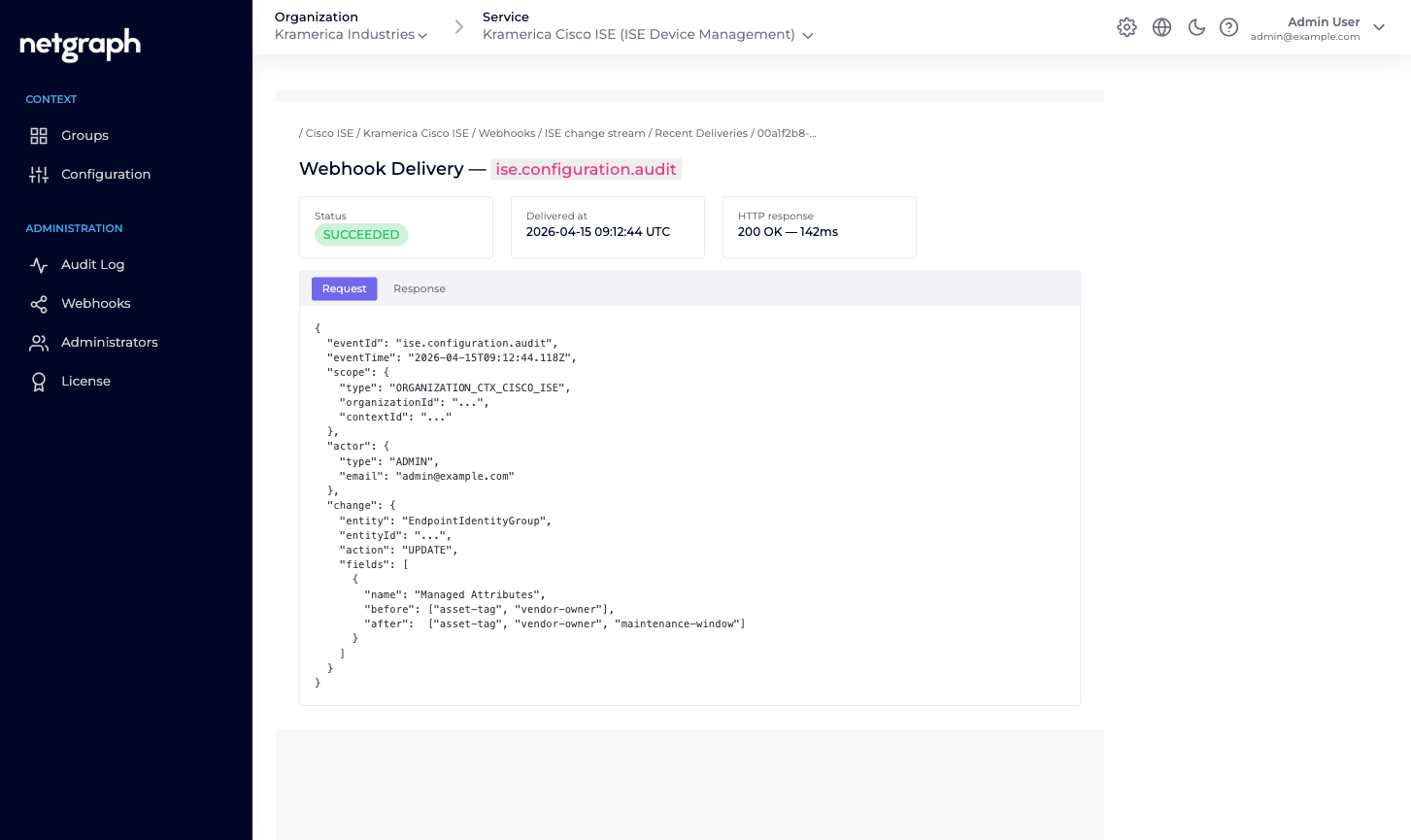
One event — ise.configuration.audit — fires for every configuration change inside an Endpoint Manager Context. Subscribe to forward changes to your SIEM, Slack, or change-management pipeline.
Endpoint Manager publishes two webhook event types today, both on the Cisco ISE Context scope:
ise.configuration.audit— every configuration change inside the Context.- An integration-failure event — raised when an outbound call to your Cisco ISE fails, carrying the same detail the Integration Log shows. Subscribe to it if you’d rather have failures pushed into monitoring or ticketing than watch the log by hand.
The configuration event covers every configuration change inside a
Cisco ISE Context — API credential updates, Managed Attribute
definitions, Endpoint Identity Group connect / disconnect,
endpoint add / update / delete, Change of Authorization
triggers. If it shows up in the Context’s Audit Log, it also
fires an ise.configuration.audit webhook delivery.
What the payload looks like
Section titled “What the payload looks like”Webhook payloads follow the common Organization-level webhook
shape — see Organization Webhooks
for the full envelope, headers, and batching rules. The event
body for ise.configuration.audit records, for each
configuration change: when it happened, which administrator made
it, the action taken, a human-readable message, and a structured
change describing each affected property with its previous and
new value.
Secret fields like the ISE API password are redacted: the
property still appears so you can see that it was rotated, but
its previous and new values are replaced with a placeholder
(hidden value *) rather than the real secret. Exact field
names are defined on the Organization Webhooks
page; treat any inline example as illustrative.
Subscribing
Section titled “Subscribing”Webhooks are configured at the Organization level, scoped per Context. To receive Endpoint Manager events:
-
Open the Context's Webhooks tab
Left navigation under Administration → Webhooks on any Endpoint Manager Context.
-
Create a webhook
Click Create Webhook. The create form has two fields: Webhook Type (Instant Event Delivery or Batch Delivery) and Webhook Name. The Payload URL and event selection are configured on the Webhook Settings page you land on next.
-
Tick ise.configuration.audit
On the Webhook Settings page, set the Payload URL, then tick ise.configuration.audit — the only event exposed on the Cisco ISE Context scope. Save.
The platform starts delivering events to your URL. See Organization Webhooks for signature validation, retry behaviour, and the delivery-history drill-down.
What isn’t in the webhook stream
Section titled “What isn’t in the webhook stream”A few categories of change don’t fire ise.configuration.audit
events today:
- Endpoint lifecycle on Cisco ISE itself. The event fires when you add / update / remove an endpoint via Endpoint Manager — not when ISE changes an endpoint on its own (for example, when a profiler rule re-categorises it). For ISE-side changes you still want ISE’s own audit stream.
- Session events. Endpoints authenticating / dropping / rejecting are on Cisco ISE’s Monitoring API, not on Endpoint Manager’s webhook bus. If you need session events in your SIEM, point the SIEM at ISE.
If a session or endpoint-lifecycle webhook would help you, open a feature request with your account. The event catalogue is expected to grow.
Typical consumer shapes
Section titled “Typical consumer shapes”- SIEM intake. Forward every
ise.configuration.auditto your SIEM for compliance-grade change tracking. The payload includes the administrator, the action, and per-property previous / new values — enough for most audit queries. - Slack alerts. Fire into a
#network-opschannel on every group connect / disconnect, so the network team sees when a new fleet comes under managed administration or leaves. - Change-management tickets. Auto-open a ticket whenever API credentials are rotated or a group is removed — two events that are rare enough to warrant scrutiny.