
Comparing variants
A side-by-side matrix of the EntryPoint variants — EAP-PEAP, EAP-TLS with Device cert, EAP-TLS with Microsoft Entra ID, iPSK, and Radius Proxy — so you can pick the right one for each audience.
Every EntryPoint Context picks a variant in the Create RADIUSaaS Context wizard. Each variant serves a distinct audience; most Organizations run more than one Context to cover all their audiences.
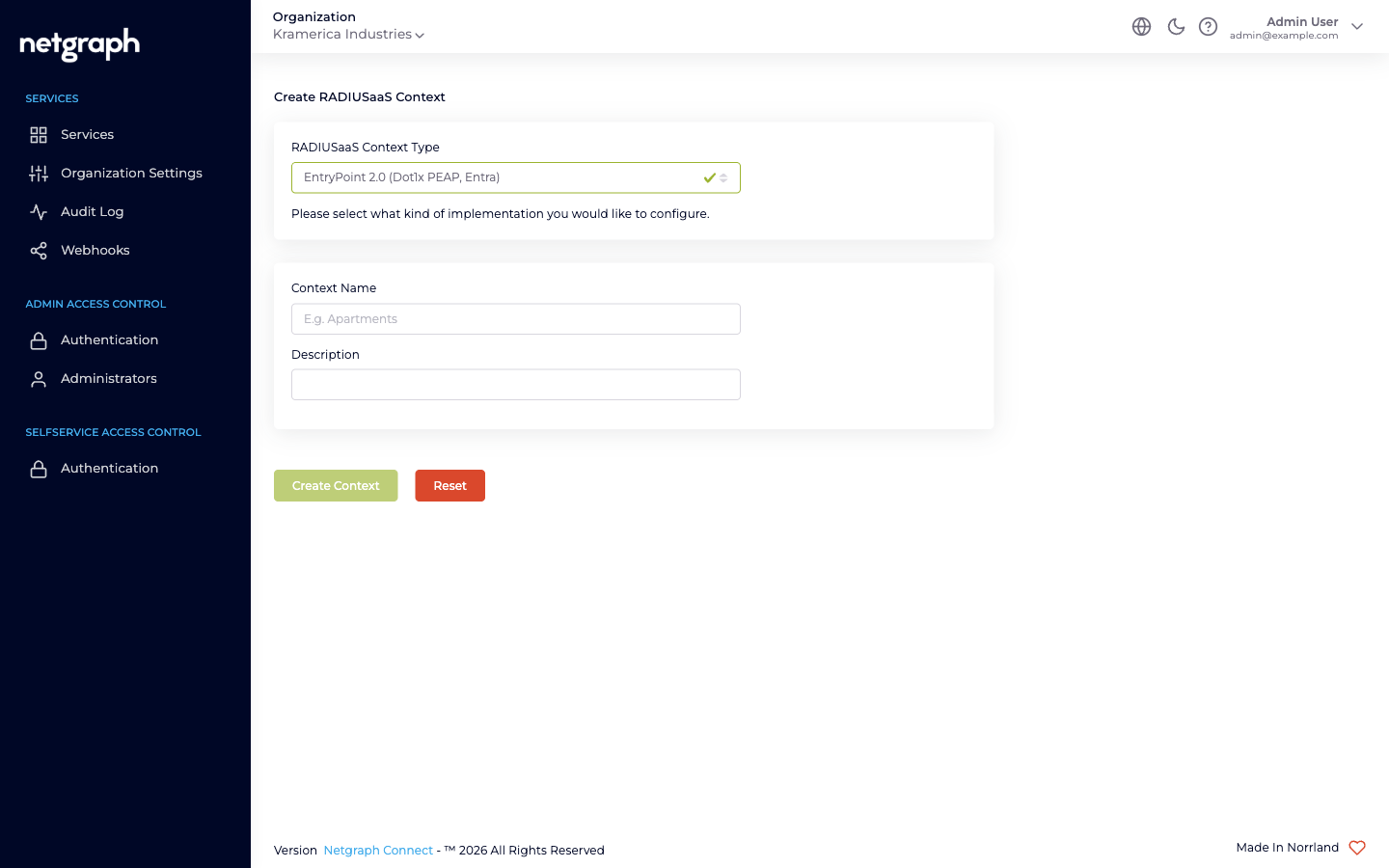
The wizard offers three options (verbatim):
EntryPoint 2.0 (Dot1x PEAP, Entra)— hosts EAP-PEAP and EAP-TLS Groups. In this documentation we describe the method families as separate chapters — see EAP-PEAP, EAP-TLS with Device cert and EAP-TLS with Microsoft Entra ID — because they serve different audiences.EntryPoint 2.0 (Radius Proxy / eduroam)— see Radius Proxy.EntryPoint 1.0 (IPSK)— see iPSK for Cisco Networks.EntryPoint 2.0 (EasyPSK)— the primary delivery of EasyPSK for Cisco Networks: per-unit keys for Cisco Meraki and Catalyst 9800, resolved over RADIUS, with three security flavours and per-group controls. Documented under EasyPSK via RADIUS.
Side-by-side feature matrix
Section titled “Side-by-side feature matrix”| EAP-PEAP | EAP-TLS — Device cert | EAP-TLS with Entra | iPSK for Cisco | Radius Proxy | |
|---|---|---|---|---|---|
| Wizard variant | Dot1x PEAP, Entra | Dot1x PEAP, Entra | Dot1x PEAP, Entra | IPSK | Radius Proxy / eduroam |
| Primary audience | Any audience with a username+password identity — employees, contractor firms, vendor teams, event cohorts, students | Managed and unattended equipment — laptops, kiosks, headless gear | Employees on MDM-enrolled devices | IoT fleets on Cisco Wi-Fi | eduroam visitors; roaming partners |
| Credential | Username + password (auto-generated) | A certificate that names the device | A certificate that names the user | Per-Group shared PSK | Upstream decides |
| Identity source | Personal PEAP Accounts held in EntryPoint | Your own PKI (Trusted CAs); optional Microsoft Entra device groups | Microsoft Entra ID group membership (required) | Device MAC → Group | Remote RADIUS server |
| Groups per Context | Many (one per audience) | Many (one per device class, routed by Certificate Group Identifier) | Many (one per Entra user group) | Many (one per device class) | Exactly one (Default Device Group) |
| Group-to-Entra-group mapping | — | Optional | Required | — | — |
| Self-Service portal | Yes (per-user Personal PEAP Account + per-OS setup guides) | No | No | Yes (Group admin + PSK admin + device admin) | No |
| MAB fallback | Inside Device-Cert Groups (shared with EAP-TLS) | Inside Device-Cert Groups | — (MAB lives on Device-Cert Groups) | — (MAB sent by WLAN becomes iPSK) | — |
| Device Compliance Check (Intune) | ✗ | ✗ | ✓ | ✗ | ✗ |
| Bulk device import | ✗ | ✗ | ✗ | ✓ (CSV) | ✗ |
| Typical VLAN strategy | One VLAN per audience (or shared across similar audiences) | One VLAN per device class | One VLAN per role | One VLAN per device class | One VLAN for visitors |
| Typical Group names | Corporate Staff, Acme Consulting, HVAC Contractors, Summer Interns 2026 | Managed Laptops, Reception Kiosks, Factory Workstations | Corporate Staff, Finance, Engineering | Robot Cleaners, Digital Signage, Smart Locks, Lab Sensors | Default Device Group |
Picking per audience
Section titled “Picking per audience”- Corporate staff with MDM-enrolled devices → EAP-TLS with Microsoft Entra ID. Cert-based auth, Entra group mapping, Intune posture.
- Managed and unattended equipment — laptops, kiosks, headless gear → EAP-TLS with Device cert. Certificates issued from your own PKI, devices routed by Certificate Group Identifier, no Entra required (Entra device groups optional).
- Anyone on a password identity you want delegated admin for → EAP-PEAP. Contractor firms, vendor teams, event cohorts, flex-workforce pools, and staff without certificates, each on Personal PEAP Accounts held in EntryPoint. One Group per audience, one lead per Group, each audience runs itself.
- Printers, VoIP phones, sensors, other non-802.1X gear behind the same VLAN as managed devices → MAB inside a Device-Cert Group (part of the EAP-TLS variant).
- IoT on Cisco Wi-Fi, owned by different internal / vendor teams → iPSK. One Group per device class, distributed administration via Self-Service.
- Visiting researchers / eduroam federation → Radius Proxy. Forward to the federation; no local identities.
- Short-stay visitors on a captive portal → not EntryPoint. See Sign In.
- Shared-SSID, per-unit residential keys (apartments, co-living), residents self-serve → EasyPSK, delivered as an EntryPoint 2.0 (EasyPSK) Context over RADIUS (Cisco Meraki and Catalyst 9800), or as a Meraki WPN Context. See EasyPSK for Cisco Networks.
Combining on one Context
Section titled “Combining on one Context”A single EntryPoint 2.0 (Dot1x PEAP, Entra) Context can host EAP-PEAP and EAP-TLS Groups together — two independent master toggles on Client Authentication Methods. See Combining with EAP-TLS & MAB and Combining with EAP-PEAP.
Variants of different wizard types (Dot1x, iPSK, Radius Proxy) are separate Contexts — one per type. An Organization with all three will have three Contexts in the admin.
Configuration surface per variant
Section titled “Configuration surface per variant”Some tabs are shared across every Context; others appear only on specific variants:
| Tab | Dot1x (PEAP / EAP-TLS) | iPSK | Radius Proxy |
|---|---|---|---|
| Basic Configuration | ✓ (auth methods, Identity Store) | ✓ (CoA listeners, SGT, default roles) | ✓ (Default Device Group link) |
| Remote Radius Server | — | — | ✓ |
| Default Group | — | — | ✓ (auto-created) |
| Attribute Profiles | ✓ | ✓ | ✓ |
| Network Integration | ✓ | ✓ | ✓ |
| Organization Common Settings | — | ✓ | — |