
Device blocking
Block specific devices by MAC address — the opposite of whitelisting. Useful for revoking access or keeping known-bad hardware off the network.
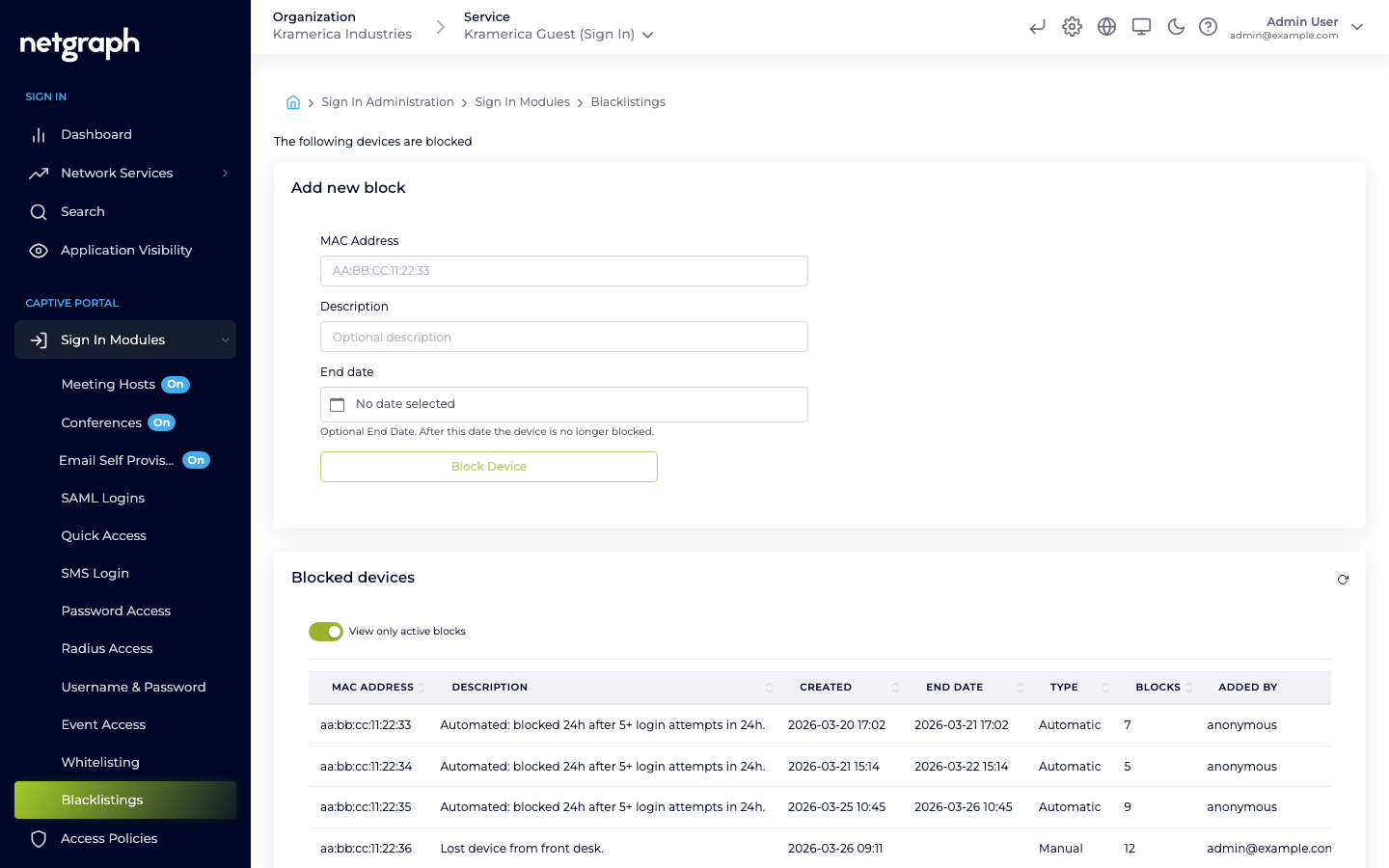
Device blocking — labelled Blacklistings in the admin — is the inverse of Whitelist. Instead of pre-approving devices by MAC, you deny specific MACs access. Devices on the list cannot sign in through any Sign In Module until they are removed.
Typical use cases:
- Revocation after abuse. A guest’s device violated acceptable-use policy; block the MAC so they can’t rejoin.
- Known-bad hardware. A device has been reported lost, stolen, or compromised.
- Neighbour interference. A persistent nearby device keeps connecting to your SSID by mistake.
How blocking interacts with Sign In Modules
Section titled “How blocking interacts with Sign In Modules”A blocked device can still associate and reach the captive portal, independent of which module the guest would use, but it cannot complete sign-in. A blocked MAC:
- Cannot complete any Sign In Module flow. With Password, SAML, SMS, or any other module, the guest is shown a “blocked” notice on the portal instead of being granted access.
- Cannot be whitelisted through Whitelist until the block is removed.
- Has any active session terminated if a block is added mid-session.
Adding a block
Section titled “Adding a block”Add a block from Sign In Modules → Blacklistings in the Context admin. Each entry has:
- MAC address — required.
- Description — free-text description of why the device is blocked; this is what admins see on the list later.
- End date — when the block expires.
Removing a block
Section titled “Removing a block”Remove the entry from the Blacklistings list. Once removed, the device can sign in again through whichever modules are enabled for its audience’s Access Policy.
Blocking vs. revoking a session
Section titled “Blocking vs. revoking a session”Different tools for different situations:
- Revoke a single session — use this when you want to disconnect a guest right now but they may rejoin legitimately later. Revoke from the Dashboard or Search views.
- Block the device — use this when you want to prevent future access regardless of which module they try.
- Block the identity — for identity-based modules (Email, SMS, Username & Password, SAML), revoke the guest’s record in the module instead of the device. This blocks the identity across device changes.