
Organization overview
An Organization is your top level on Netgraph Connectivity Platform — the umbrella that holds your Service Contexts, your administrators, your audit log, your webhooks, and the SAML federation that signs your team and your end users in. Operational work happens inside each Service Context; everything cross-cutting lives here.
An Organization is your top level on Netgraph Connectivity Platform. It’s the umbrella that holds every Service Context you operate, every administrator who can sign in to the Admin Portal, every audit row, every webhook, and the SAML federation that signs your team and your end users in.
The Organization is the layer where shared configuration lives. Day-to-day operational work — publishing a Sign-In Module, configuring a Wireless Personal Network, moving an endpoint between groups — happens inside each Service Context. The Organization layer is where you decide who gets access, how they authenticate, and how the platform’s record of administrative change reaches the rest of your stack.
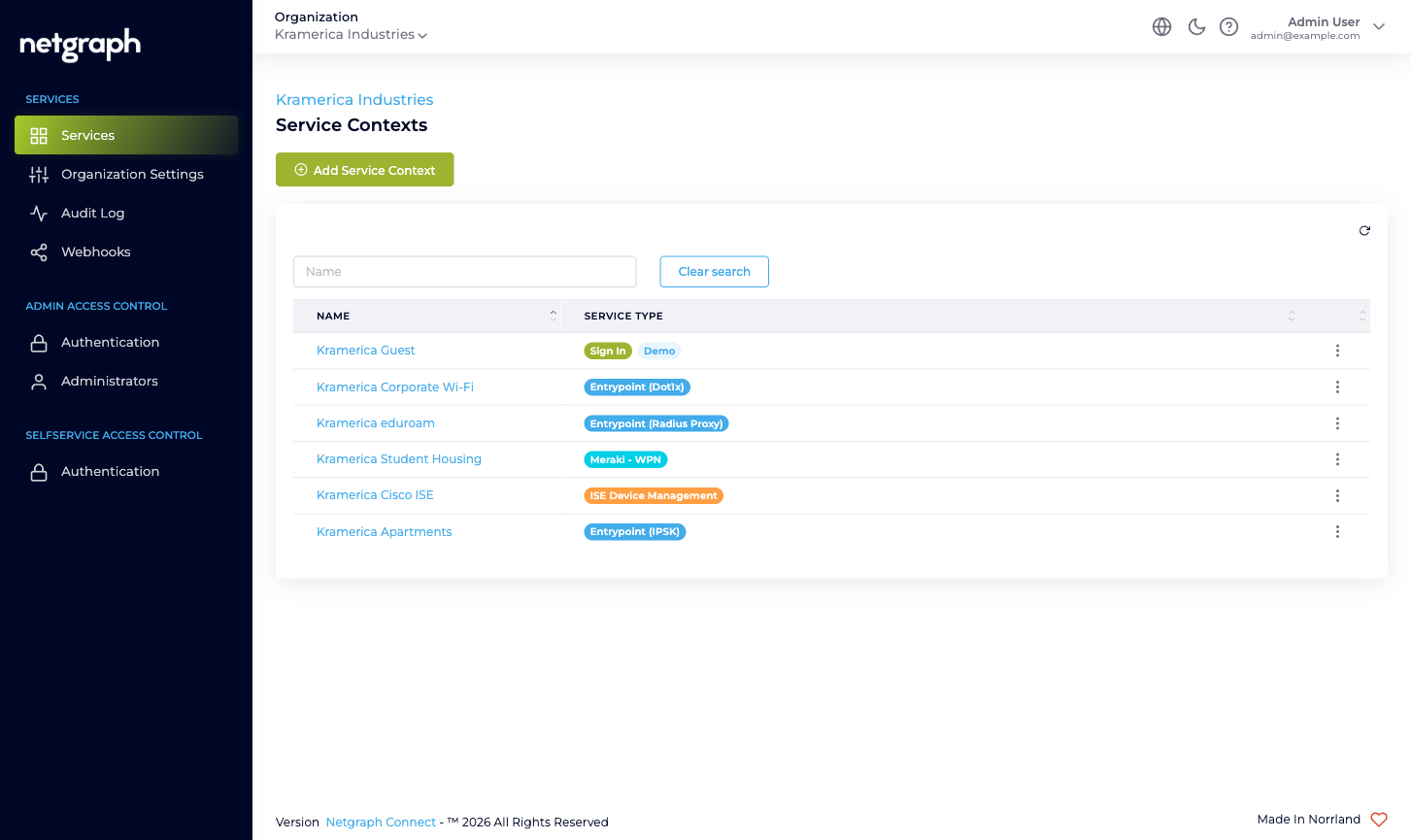
What lives at the Organization scope
Section titled “What lives at the Organization scope”Six Organization-level surfaces, all reachable from the left navigation:
- Services — the inventory of every Service Context in the Organization. Add new Contexts here; click into existing ones to open their own admin.
- Organization Settings — name, slugs, Active Languages, Admin Dashboard Access whitelist, Mandatory MFA, Self-Service Portal token lifetime.
- Audit Log — the read-only Change log of every administrative action across the Organization, with property- level diffs.
- Webhooks — push every Organization-configuration change to a downstream system as it happens.
- Admin Access Control — Authentication for the Admin Portal (Form Login + optional SAML 2.0), the Administrators table, and Applications: the API keys your own scripts and integrations use to call the API.
- Selfservice Access Control — Authentication for the Self-Service Portal (Email Magic Link by default, optional SAML 2.0, or SAML 2.0 only once it is configured).
Each surface has its own deep documentation; this page is the gateway.
Who operates the Organization
Section titled “Who operates the Organization”- Organization administrators sign in to the Admin Portal to configure the Organization and the Service Contexts inside it. They hold one or more of three Organization-scope roles — Organization Owner, Organization Context Manager, Organization Member — that decide what they can change. See Administrator roles.
- Self-Service Users are end users (residents managing a Wireless Personal Network, conference hosts, ISE-group delegated administrators) who sign in to the Self-Service Portal for one specific resource inside one specific Service Context. They are managed inside each Service Context, never at the Organization scope.
The two audiences sign in to two different surfaces with two different default authentication methods and two different sign-in URLs. See Admin Portal vs Self-Service Portal for the full comparison.
What the Organization is not
Section titled “What the Organization is not”A few mental-model checkpoints:
- Not a Service. An Organization doesn’t authenticate users, carry RADIUS sessions, or hand out PSKs. Each Service Context inside the Organization does that work for its own scope.
- Not the unit of branding. Each Service Context configures its own branding, languages, and Sites. The Organization-level Active Languages list controls which languages an admin can pick; it doesn’t push branding into existing Contexts.
- Not a permission ceiling for end users. Self-Service Users in a Sign-In Context don’t inherit anything from the Organization. Their effective permissions come from the Sign-In Context’s own Access Policies.
- Not a place where Service Contexts share state. Two Sign-In Contexts side by side run independently. Adding a Sign-In Module in one doesn’t add it in the other.
What’s new since the previous version of this section
Section titled “What’s new since the previous version of this section”The Organization section has been rewritten to match the rest of the platform docs in depth and structure. Notable changes for returning readers:
- The previous “Audit” page implied a CSV-export affordance — there isn’t one. The current docs describe what’s actually available and point at Webhooks for live streaming.
- Federation has been split into the two pages it actually is: Admin Portal authentication and Self-Service Portal authentication. Each is its own SAML SP endpoint with its own configuration; what they share is described under SSO and provisioning.
- The Organization-scope webhook story is honest about the single available event at this scope; per-Service streams are documented inside each Service.