
Quick Access
One-click guest sign-in. The guest accepts terms and is connected immediately. Same module as Click-to-Connect — Quick Access is the admin label, Click-to-Connect is the product name.
The Quick Access module is Sign In’s lowest-friction sign-in option. The guest accepts the Terms and Conditions, clicks once, and is on the network — no credentials, no verification, no forms.
This is the same module documented as Click-to-Connect. Quick Access is what the admin UI calls it; Click-to-Connect is the product-facing name. The module, the Captive Portal tile, and the admin configuration are all the same.
Typical audiences: cafés, hotels, shopping malls, public spaces, and any other venue where ease of access matters more than identifying each guest.
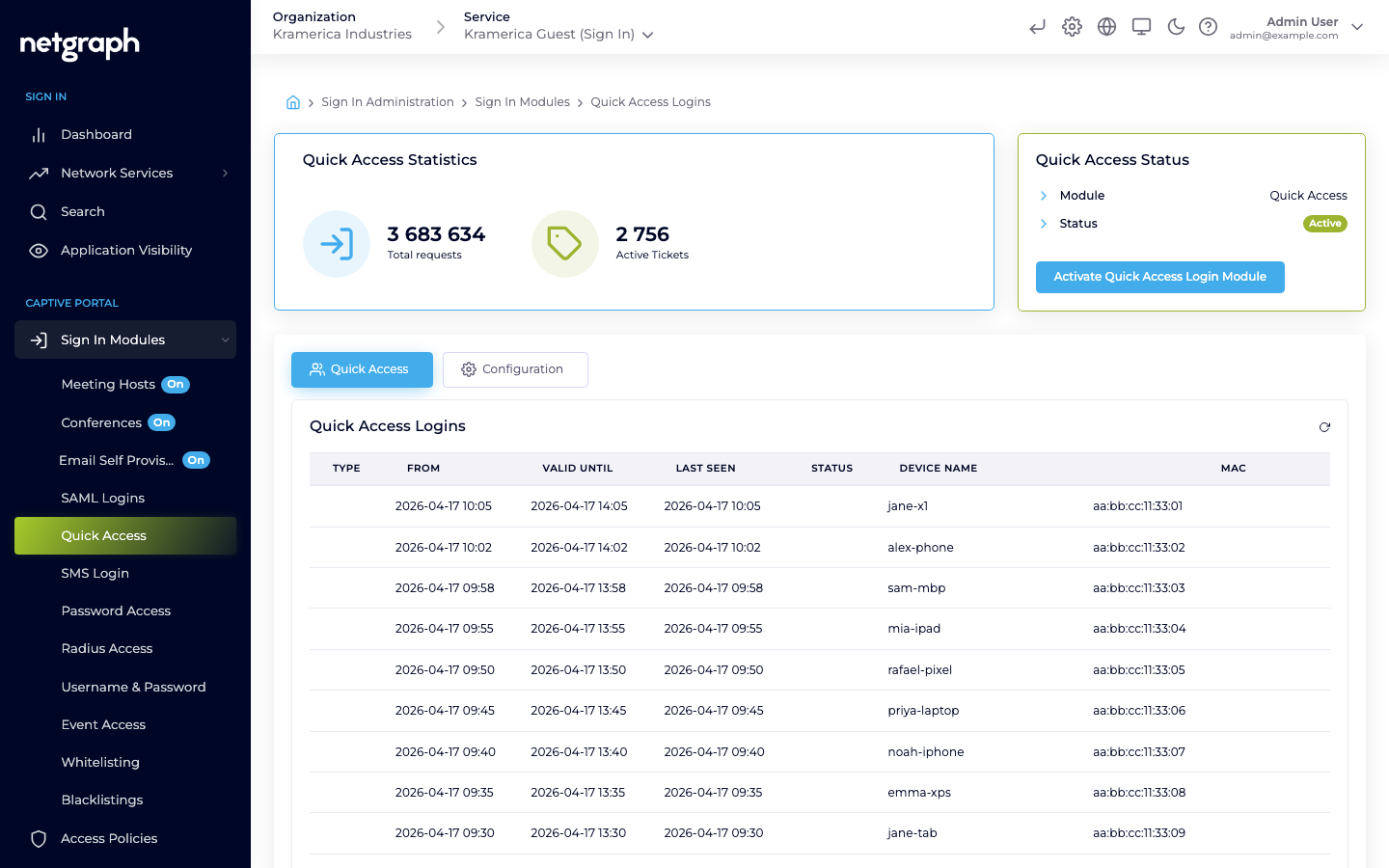
How a guest signs in
Section titled “How a guest signs in”- The guest’s device joins the guest SSID and is redirected to the Captive Portal.
- They pick Quick Access (labelled Click-to-Connect on portals that use the product name), confirm the Terms and Conditions, and tap the button.
- Access is granted immediately and the guest is redirected to the URL configured for this module.
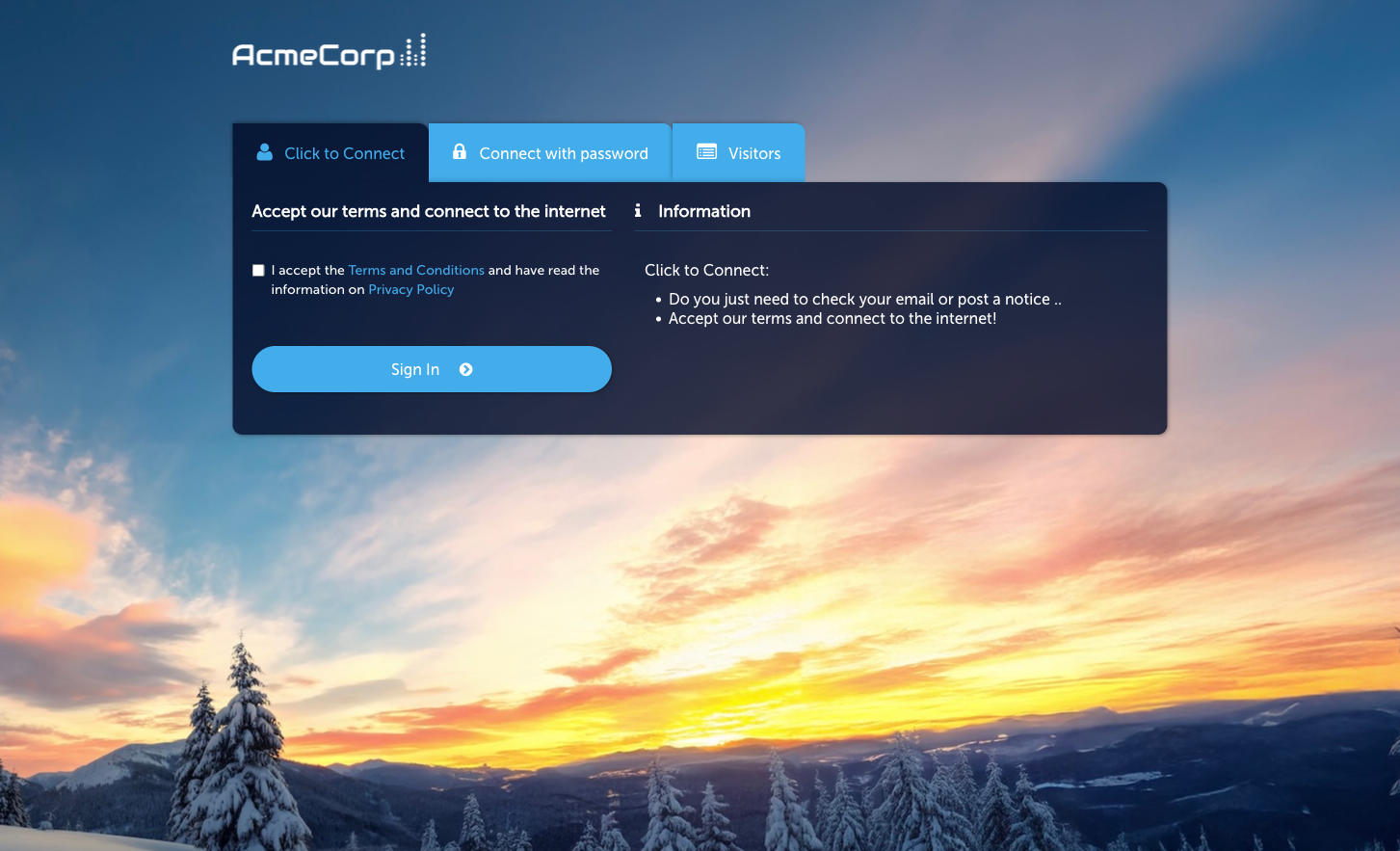
Activate the module
Section titled “Activate the module”-
Open the module
Go to Sign In Modules → Quick Access.
-
Activate
Click Activate Quick Access Login Module.
-
Set the session length and redirect
On the Configuration tab’s Session Length & Redirect sub-tab, set how long each sign-in grants access and where guests land afterwards.
Configuration
Section titled “Configuration”The module Configuration tab has three sub-tabs:
- Session Length & Redirect — the session duration granted by a Quick Access sign-in and the redirect URL used afterwards.
- WiFi4EU (legacy) — legacy support for the WiFi4EU programme; leave off unless you specifically need it.
- Language Settings — per-language overrides for the Captive Portal’s Quick Access strings.
Quick Access is not gated by an Access Policy — if the module is active at Context level, it’s available to any guest who reaches the Captive Portal.
When to use Quick Access vs other modules
Section titled “When to use Quick Access vs other modules”- Quick Access / Click-to-Connect — zero-friction, no identity collected. Use when the venue doesn’t need to know who signed in.
- Password — shared passwords (fixed Static or rotating Subscription) when you want some gating without per-guest accounts.
- Self-Provisioning by Email — when you want to capture the guest’s email at sign-in.