
EAP-PEAP overview
Username-and-password 802.1X Wi-Fi for audiences that don't have a certificate to present — employees, contractors, students, visiting staff. Per-audience Groups with delegated Self-Service so the people who own each audience manage it, not IT.
EAP-PEAP is EntryPoint’s 802.1X variant for audiences whose devices can speak PEAP but where issuing a client certificate isn’t worth it. Users enter a username and password on their Wi-Fi supplicant; EntryPoint validates them against an auto-generated Personal PEAP Account that EntryPoint itself holds. Every account is Self-Service from day one — users never see the password except inside the portal, and can rotate it themselves.
It pairs naturally with EAP-TLS for managed-device fleets and with the MAB fallback that rides inside every Dot1x Group. Many Organizations run both methods on one Context — PEAP for people, EAP-TLS for managed laptops, MAB for printers — with each Group picking the right method for its members.
The core idea — one Group per audience, self-administered
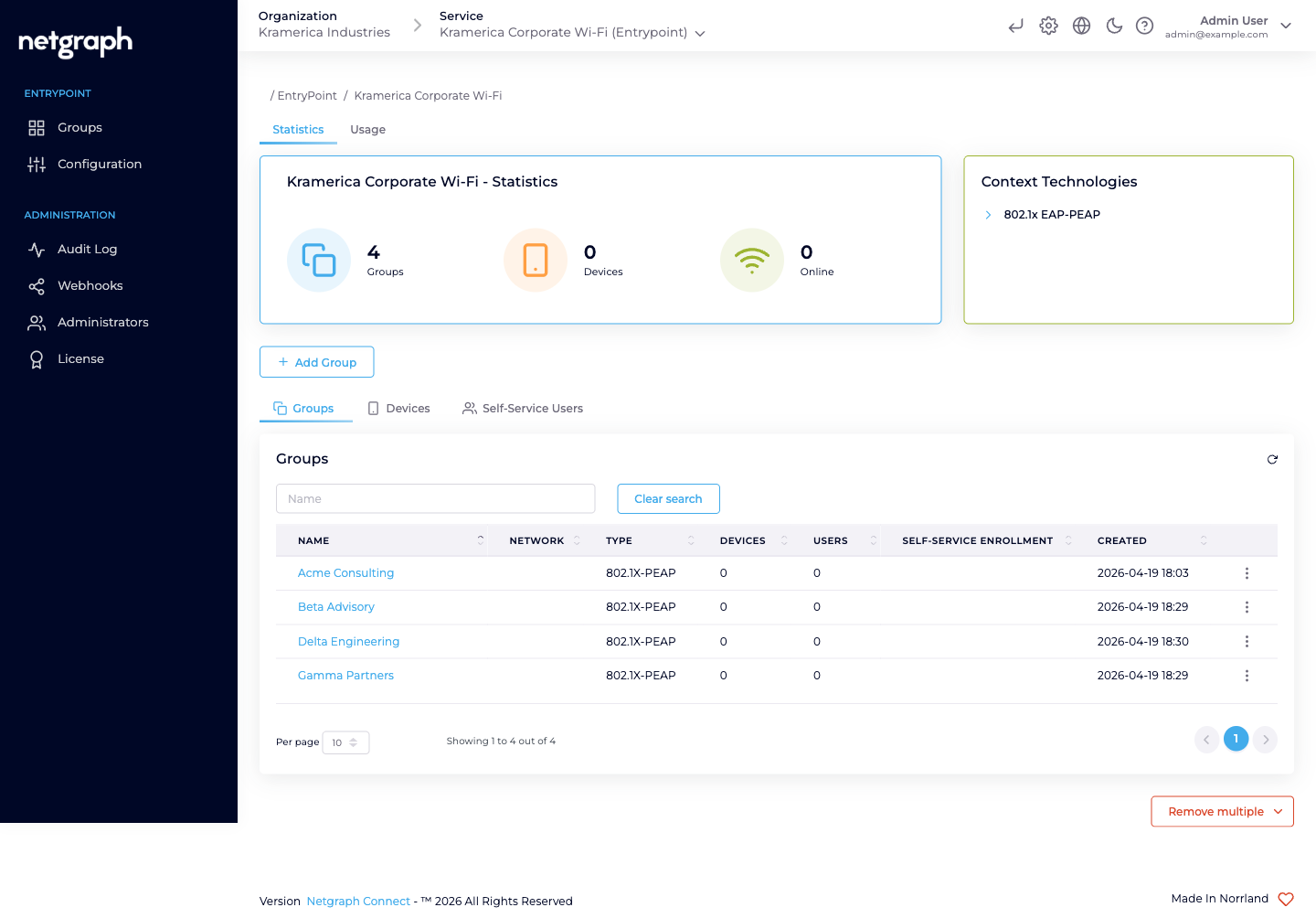
Section titled “The core idea — one Group per audience, self-administered”EAP-PEAP shines when the people using the Wi-Fi fall naturally into audiences that someone other than central IT can own day-to-day. Instead of a single flat PEAP pool where every user is onboarded by a help desk, each audience becomes its own Group with its own lead administrator. The lead invites their own people via the Self-Service portal; users self-rotate their Personal PEAP Account password; IT stays out of per-user churn.
Typical audiences worth their own Group:
- Employees on corporate Wi-Fi — each gets a Personal PEAP Account. With SAML single sign-on on the Self-Service portal, staff retrieve it with the sign-in they already have. Where devices are MDM-enrolled, EAP-TLS with Microsoft Entra ID is the stronger fit.
- Consulting firms and contractor teams — each firm gets its own Group; the firm’s lead invites their consultants. Their consultants never need to exist in any directory of yours; their Personal PEAP Accounts live in EntryPoint.
- Vendor field engineers and service technicians — HVAC, AV, security, cleaning, IT, telephony. Per-vendor Group, per-vendor lead, per-vendor VLAN if you like.
- Flex-workforce and staff-augmentation pools — per-pool Group managed by the internal team that runs the programme (warehouse flex, seasonal retail, research assistants, interns).
- Subsidiaries and sister companies sharing physical office space — each entity gets its own Group and handles its own HR lifecycle.
- Event hosts and temporary staff — conference volunteers, production crews, film shoots, audits with a known timebox.
- Research cohorts or project teams on university / lab campuses — a Group per project, the PI or lab manager invites.
- BYOD for employees without MDM-issued certificates — when rolling out EAP-TLS hasn’t reached a particular role yet, PEAP bridges the gap without blocking anybody.
- Pilot and staging populations — try a new Access Policy or VLAN assignment on one audience’s Group before rolling wider.
Each Group carries the audience’s shared policy via an Attribute Profile (VLAN / SGT / tunnel attributes). One Group per audience keeps the policy clean and the delegation obvious; splitting further than the audience boundary is usually overkill.
What delegation actually looks like
Section titled “What delegation actually looks like”Once an audience is a Group, the day-to-day shrinks to:
- The lead is a Group Administrator. You invite one person per audience as a Group Administrator Self-Service User. They see only their own Group.
- The lead invites their people. From the Self-Service portal, the Group Administrator adds the actual users. Each gets a Personal PEAP Account auto-provisioned on first sign-in.
- Users follow per-OS setup guides. Every PEAP user sees Setup Instructions for macOS, Windows, iPhone, Android, and Chromebook — so the user joins Wi-Fi without a support ticket.
- Rotation stays local. When someone moves on, the lead revokes them; their account disappears and their devices drop off at the next re-auth. IT doesn’t have to be in the loop.
The result: one per-audience access story that’s as self-serve as a home router’s guest SSID, but 802.1X-secure and with the audit trail your security team expects.
Who operates EAP-PEAP
Section titled “Who operates EAP-PEAP”Two Self-Service roles appear under the Organization-admin level, each scoped to one Group.
| Role | Scope | Typical actions |
|---|---|---|
| Organization administrator | The Organization and every Context inside it. | Create the EntryPoint Context, enable EAP-PEAP in Client Authentication Methods, attach network equipment, create one Group per audience, invite each audience’s lead as a Self-Service User with the Group Administrator role, review audits. |
| Group Administrator (Self-Service) | One Group, in one Context. | Invite and revoke members. View the Group’s Connected Devices. Every user in the Group also self-serves their Personal PEAP Account. |
| User (default) (Self-Service) | Their own Personal PEAP Account within one Group. | See the username, see the password, copy or rotate it. See their own Connected Devices and the per-OS setup guides. |
The Group Administrator / User (default) split is per Group. The same person can be a Group Administrator on one audience’s Group and a default user on another without any conflict.
Combining EAP-PEAP with other methods
Section titled “Combining EAP-PEAP with other methods”A Dot1x Context can enable EAP-PEAP and EAP-TLS simultaneously — the two master switches on Client Authentication Methods are independent. You pick the method per-Group, not per-Context. A typical combined deployment:
- EAP-PEAP Groups for people whose identities aren’t cert-backed — contractors, flex-workforce, event staff, BYOD.
- EAP-TLS with User Certificate Groups for employees on MDM-enrolled laptops where a user certificate is available.
- EAP-TLS with Device Certificate Groups for unattended equipment (kiosks, factory workstations). MAB inside these — or inside any other Dot1x Group — catches the headless gear (printers, VoIP phones, sensors) that shares the same switchport or SSID.
See Combining with EAP-TLS & MAB.
What EAP-PEAP is NOT
Section titled “What EAP-PEAP is NOT”- Not a RADIUS appliance. EntryPoint provides the RADIUS service; you point your WLAN controllers and switches at the Context’s RADIUS endpoint and they authenticate against it. You don’t run RADIUS servers.
- Not a certificate authority. If certificate-based auth fits better (stronger posture, no password-typing on the supplicant), see the EAP-TLS with Microsoft Entra ID variant. EntryPoint validates client certificates; it doesn’t issue them.
- Not a guest-Wi-Fi captive portal. For short-stay visitors who self-provision by email or SMS on a captive portal, look at Sign In instead. PEAP assumes an 802.1X supplicant and a long-term account.
- Not for headless devices. Printers, IP phones, smart locks and sensors without a PEAP supplicant belong on MAB (inside any Dot1x Group) or on the iPSK variant for Cisco deployments.
Prerequisites
Section titled “Prerequisites”- An EntryPoint Context of type EntryPoint 2.0 (Dot1x PEAP, Entra) — see Creating a Context.
- EAP-PEAP toggled on in Configuration → Basic Configuration → Client Authentication Methods.
- No Identity Store work: PEAP accounts are created and held in EntryPoint. The Context’s Backend Identity Store (Microsoft Entra ID) is consulted only by EAP-TLS User Certificate Groups: see Entra connection.
- At least one WLAN controller, switch, or Meraki network pointed at the Context’s RADIUS hostname with the per-Context shared secret.